How to Find and Send Log Files to Support
This guide explains how to locate your log files and send them to the support team.
Ways to Find Log Files
1. Manually on Your Computer
You can locate log files directly on your computer. Before doing this, make sure that hidden folders are visible.
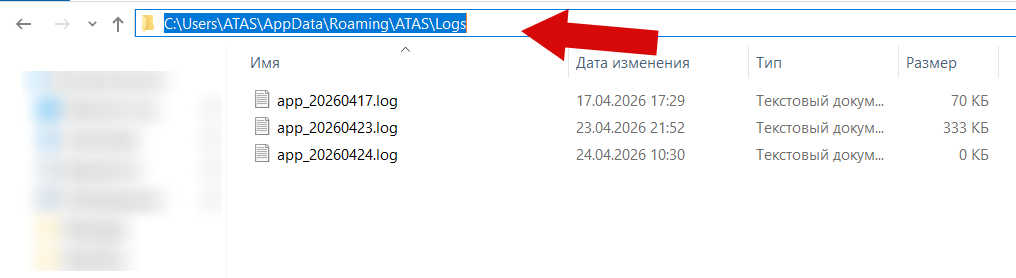
ATAS (Windows):
C:\Users\*USERNAME*\AppData\Roaming\ATAS\Logs
(*USERNAME depends on your Windows account name)
ATAS X (Windows):
C:\Users\*USERNAME*\AppData\Roaming\ATAS X\Logs
ATAS X (Mac):
Open Finder → Go → Go to Folder, then enter:
~/Library/Application Support/ATAS/Logs
2. Through the Platform
You can also open the logs folder directly from the platform interface.
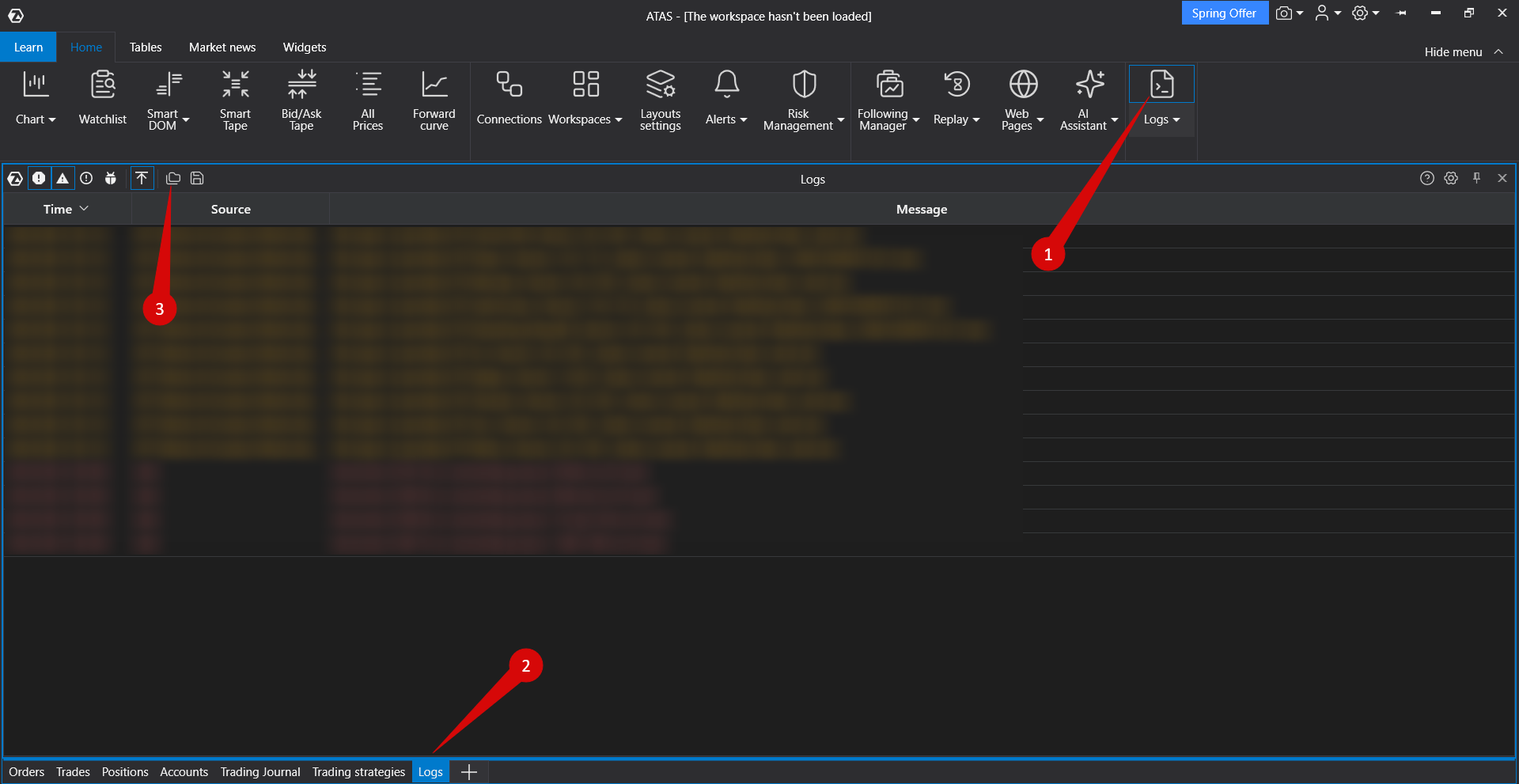
ATAS:
Settings → Logs → Open Folder
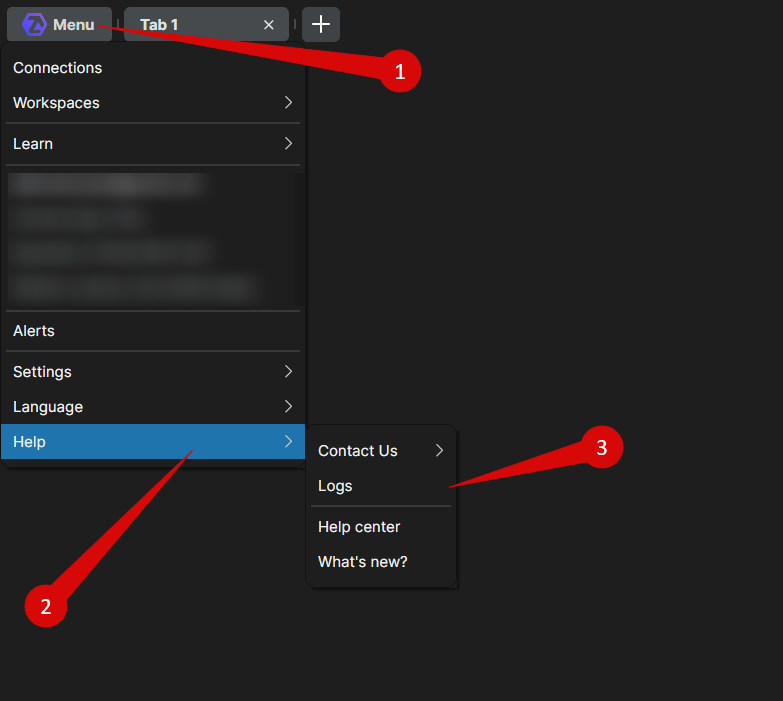
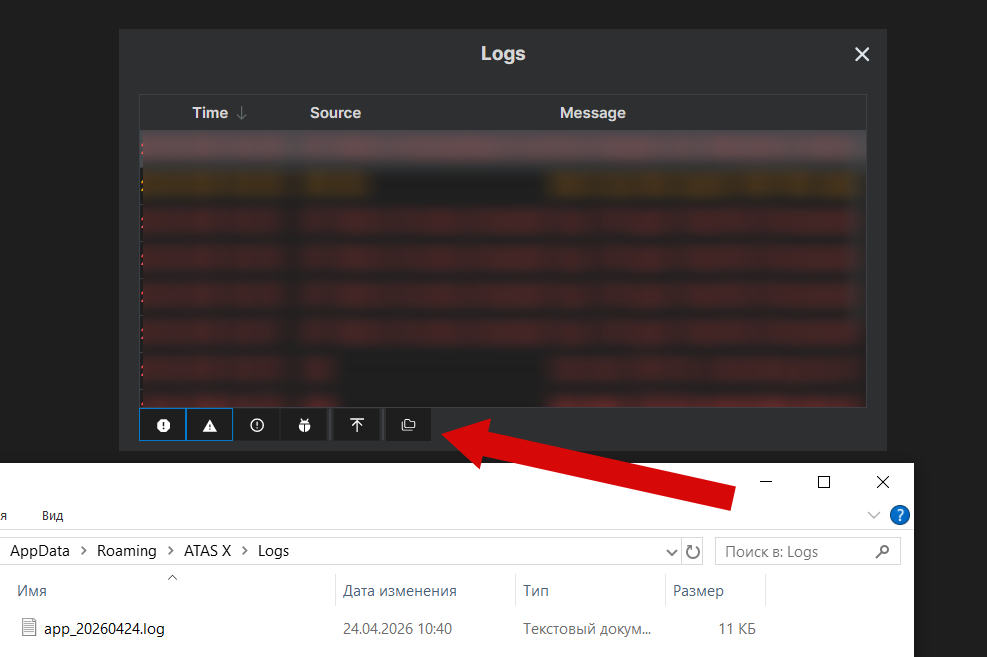
ATAS X:
Menu → Help → Logs → Open Folder
Was this article helpful?
That’s Great!
Thank you for your feedback
Sorry! We couldn't be helpful
Thank you for your feedback
Feedback sent
We appreciate your effort and will try to fix the article