ATAS Script is a scripting language for writing your own indicators in ATAS. It is compatible with Pine Script, so you can bring an indicator from TradingView by pasting its code. ATAS Script also has built-in order flow functions: bar delta, bid and ask volume, POC and footprint values at each price.
You write and compile scripts in the Script Editor, a panel on the chart. A compiled script becomes a regular indicator: it appears on the chart and in the indicator list. You do not need Visual Studio or DLL files. The Script Editor also works with C# indicators.
What you need
- ATAS or ATAS X desktop, beta version. The Script Editor does not work in ATAS Web.
- Script Lab in your ATAS subscription. Without it, the Script Editor button and menu item are not shown.
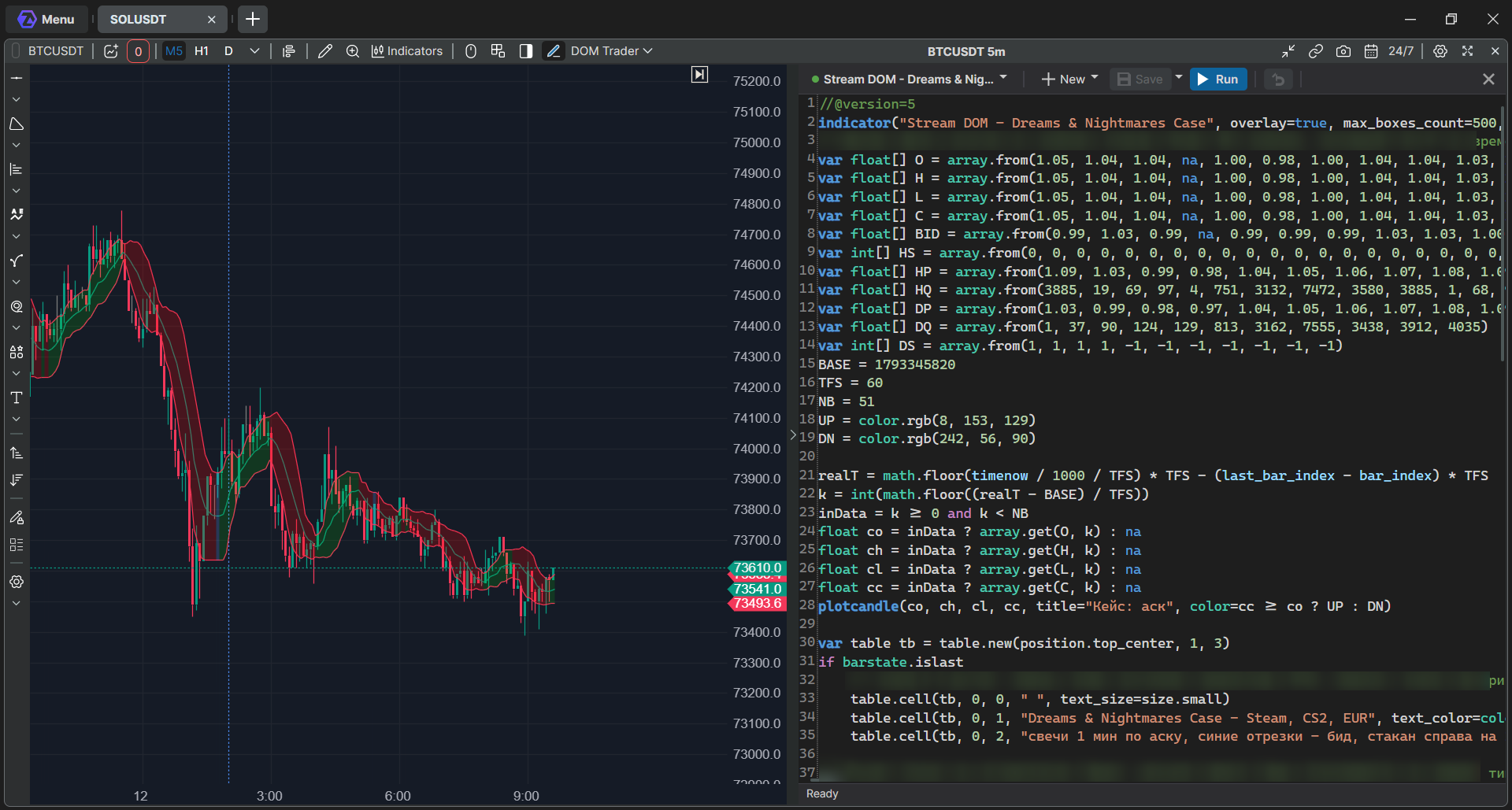
Open the Script Editor
Open a chart and use one of these:
- the Script Editor button on the chart toolbar;
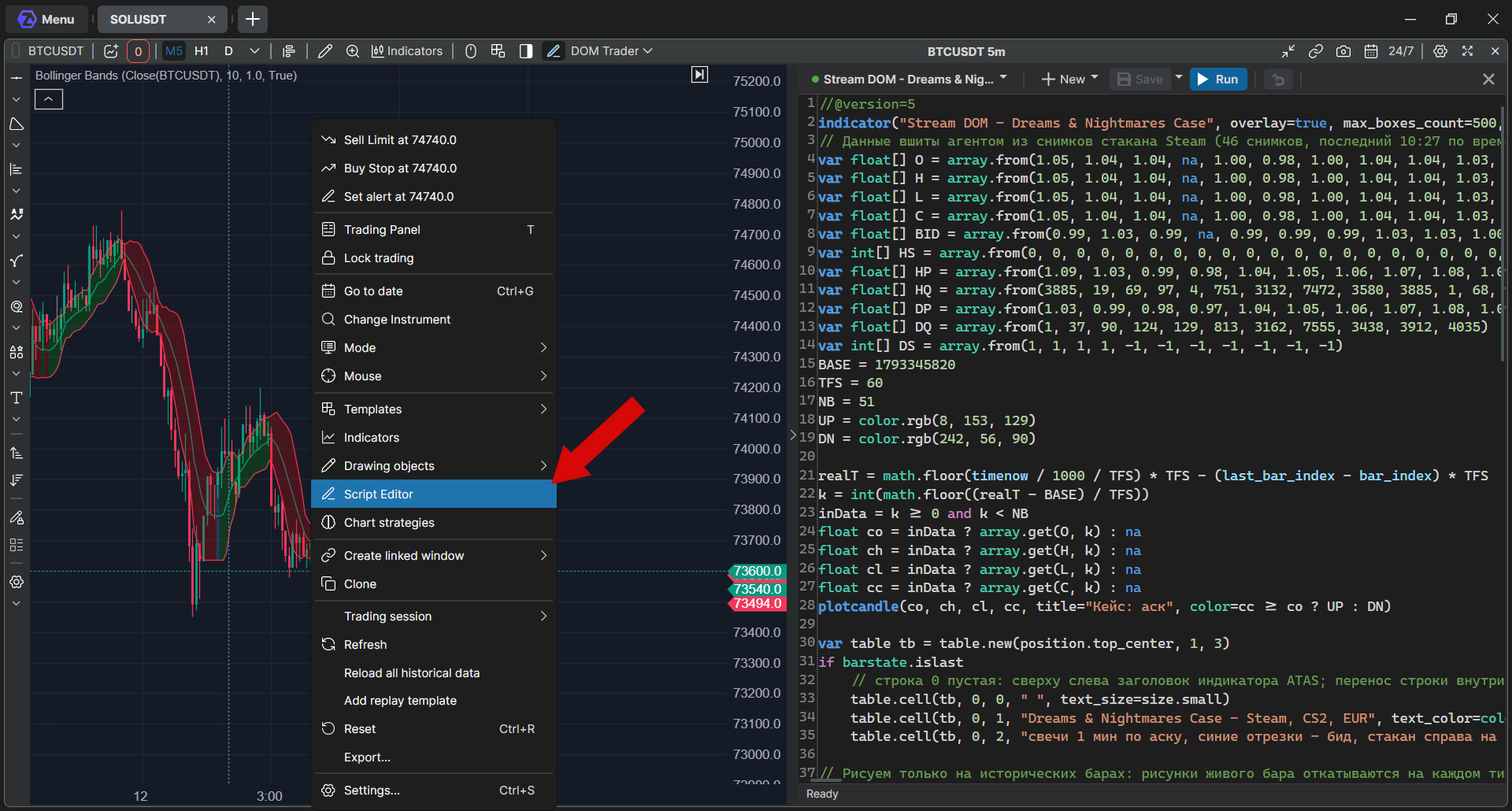
- right-click the chart and choose Script Editor;
- in the indicator list, open the Custom category and click the pencil icon Open in Script Editor next to a script indicator.
The editor opens as a panel on the side of the chart. The chart remembers whether the panel was open.
Create an indicator
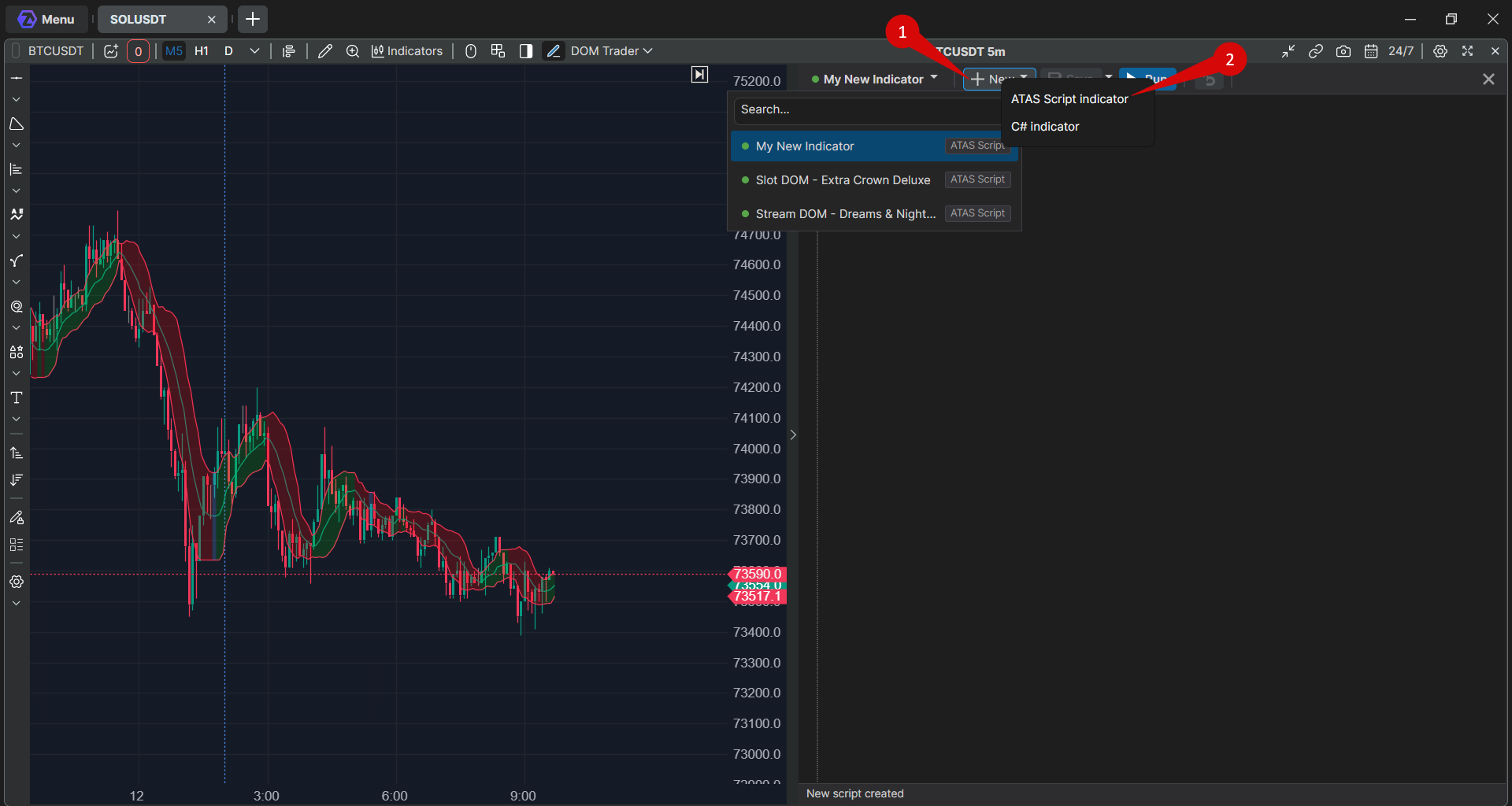
- Click New and choose ATAS Script indicator.
- A new script appears with starter code that draws the Close price.
- Write your code or paste it over the starter code.
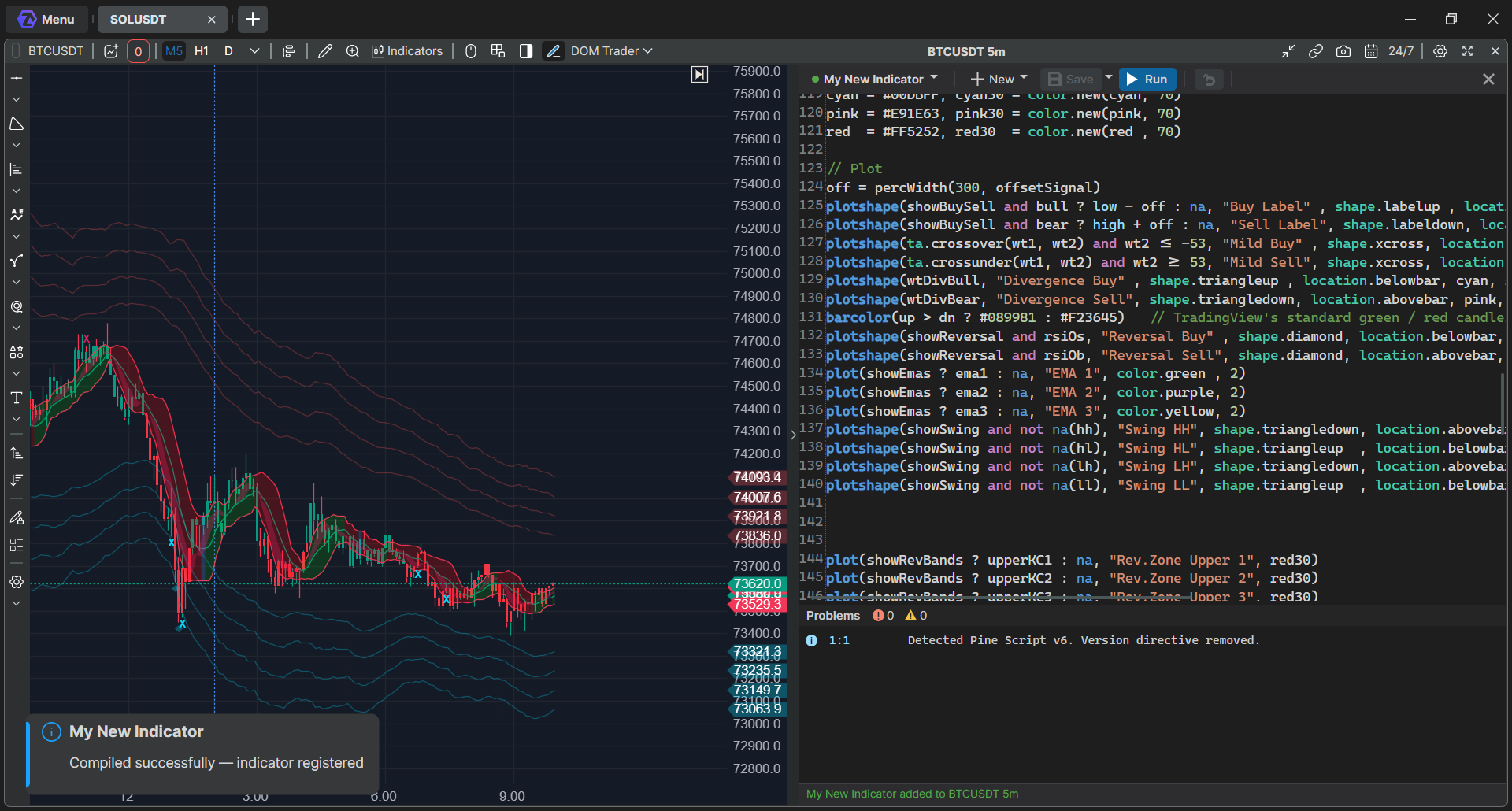
- Click Run. The script is saved, compiled and added to this chart.
The status line at the bottom of the editor shows the result. If there are errors, it shows Compilation failed with the number of errors.
To add the indicator to another chart, open Indicators on that chart: your script is in the Custom category, under the name given in its code.
Fix compilation errors
Errors are listed in the Problems panel with the line and column. Double-click an error to go to that line in the code.
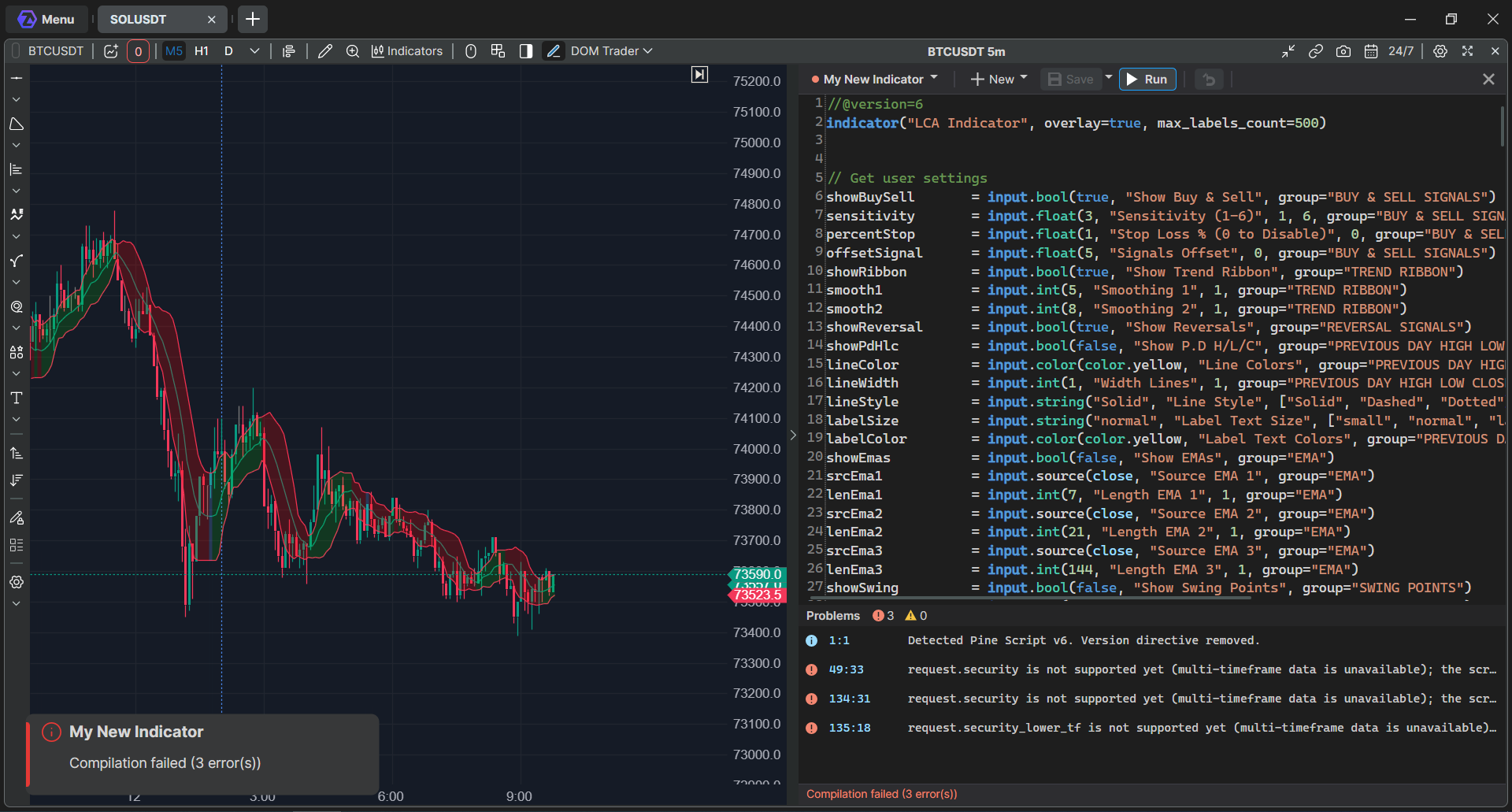
ATAS Script does not replace an unsupported function with something similar. If a function is not supported, you get a compilation error with the line, not an indicator that calculates differently.
Edit an indicator
- Change the code and click Run again. The indicator updates on all open charts by itself, and its settings stay as they were.
- If the new version does not compile, the charts keep the previous working version until you fix the errors.
- Unsaved changes are kept automatically, even if you switch to another script or the platform closes. When you open the script again, the editor restores them.
- Save saves without compiling. Run always saves the script first.
- The arrow button after Run discards unsaved changes. Save as... in the menu next to Save makes a copy under a new name.
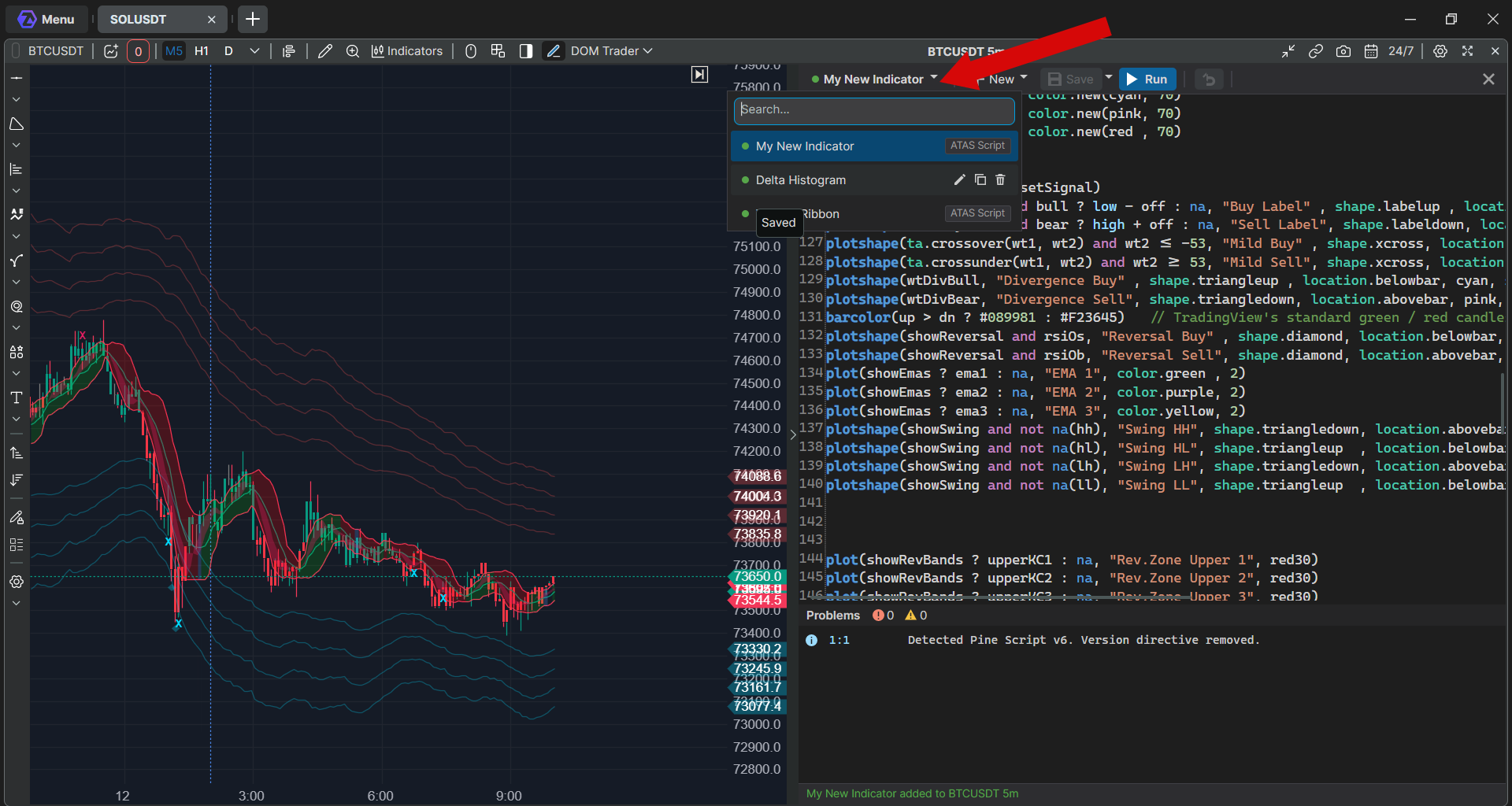
To switch to another script, click the script name at the top of the editor. The list shows all your scripts, and you can type a name in Search. Point to a script to see the icons that rename, copy or delete it. The dot next to a script shows its status: point to it to see Saved, Unsaved changes or Last compilation failed. Deleting a script also removes its indicator from the indicator list.
Scripts are stored on your computer in the ATAS settings folder. Your compiled scripts are compiled again each time the platform starts, so they stay in the indicator list and in your workspaces. If one script fails to compile, the platform and your other scripts load as usual.
Bring an indicator from TradingView
- In TradingView, open the indicator's source code and copy it.
- In the Script Editor, click New → ATAS Script indicator.
- Replace the starter code with the copied code and click Run.
- If there are errors, fix them using the Problems panel.
The message Detected Pine Script v6. Version directive removed. in Problems is information, not an error. Simple indicators usually compile as they are. Large indicators may need edits before they compile.
Port only code that you wrote yourself or that its license allows you to use.
ATAS Script supports Pine Script versions 4 to 6: variables, conditions and loops, your own functions, types and methods, most built-in functions for technical analysis, math, strings, arrays and colors, inputs, and drawing with lines, labels, boxes and tables.
What is not supported:
- Data from another timeframe or symbol, such as request.security, and other request.* functions. Calculate what you need from the bars of the chart instead.
- Strategies: a strategy script compiles as an indicator, and its trading calls are ignored. There is no strategy backtest.
- Pine Script libraries (import, export, library).
- Maps with non-numeric keys or values.
Values can differ from TradingView: ATAS uses the data and history of your own connection.
Order flow functions
On top of Pine Script, ATAS Script can read order flow data of each bar:
- bar values: delta, ask volume, bid volume, number of trades, cumulative delta, POC, value area high and low, maximum and minimum delta;
- footprint values at a price: volume, ask, bid, delta and trades, the number of price levels, and buy and sell imbalances.
The editor suggests these functions as you type.
C# indicators
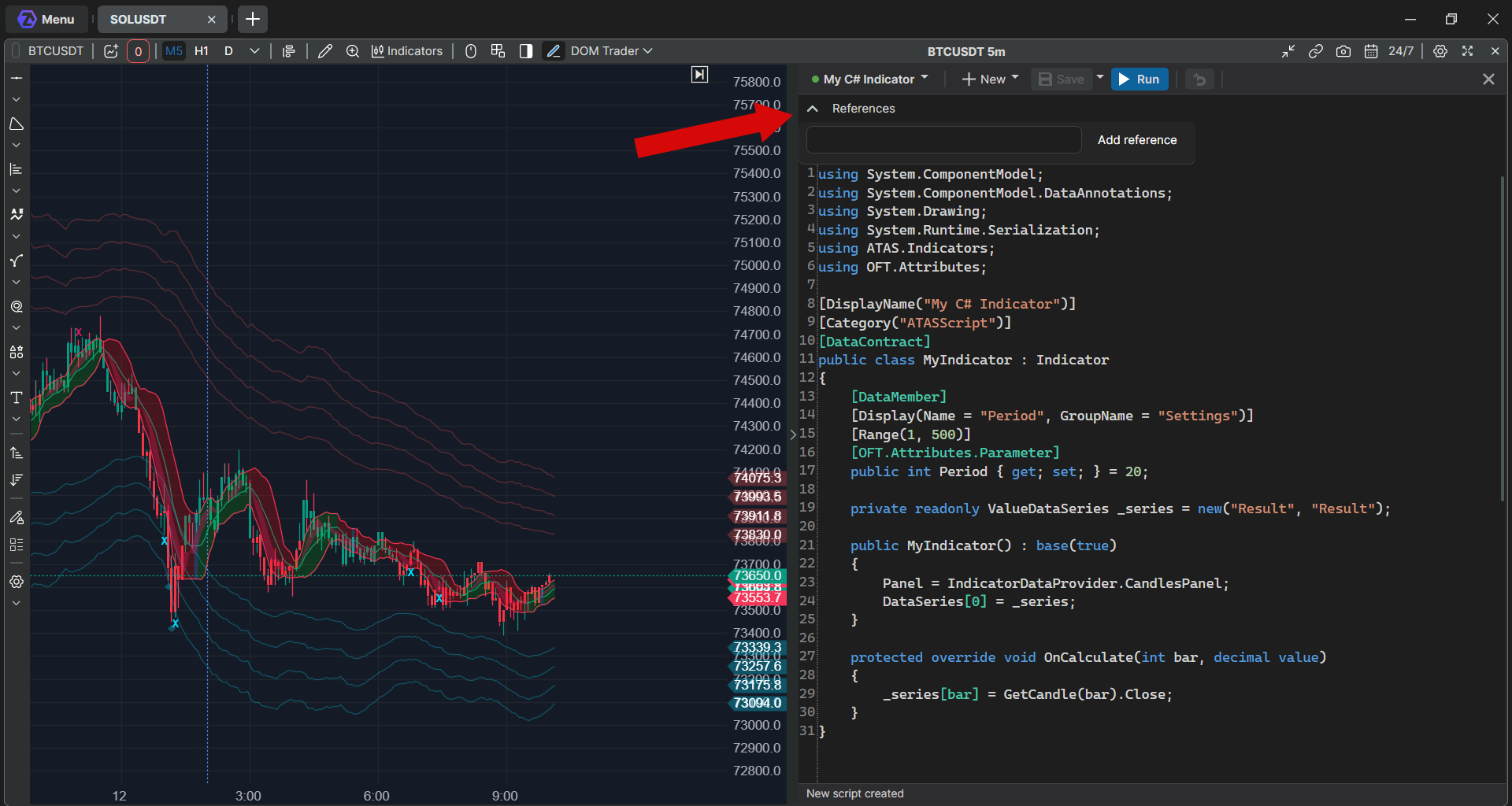
To write an indicator in C#, click New → C# indicator. Run, Problems, the script list and adding to another chart work the same way as for ATAS Script.
- For safety, C# code cannot use files, the network, threads, reflection or system calls. Such code gets the error Forbidden namespace or Potentially unsafe code pattern.
- To use a third-party DLL, expand References above the code and click Add reference. A DLL is accepted only from the folder named in the error message.
- Indicators that come as DLL files without source code cannot be opened in the Script Editor.
If something goes wrong
| Problem | What to do |
| There is no Script Editor button or menu item | Check that you use the desktop beta version of ATAS or ATAS X and that your subscription includes Script Lab. If both are right, contact support. |
| The error says multi-timeframe data is unavailable | The code uses request.security or another request.* function. Remove it and calculate the values from the bars of the chart. |
| A warning says the strategy script is compiled as an indicator | The indicator part works, but trades are not placed and there is no backtest. |
| The error says strategy runtime values are not supported | The code uses values of a strategy. Rewrite the script as an indicator. |
| The error says a function or property is not supported | This function is not available in ATAS Script. Replace it with your own code. |
| The error says a named argument is unknown | Check the name of the function's parameter. |
| Compilation failed, but the chart still shows the indicator | The chart keeps the previous working version. Fix the errors in Problems and click Run again. |
| A C# error says Forbidden namespace or Potentially unsafe code pattern | Remove the code that works with files, the network, threads or system calls. |
| A C# error says a reference is not allowed | Put the DLL into the folder named in the error message and add the reference again. |
| The error says the compiler is not available | Restart the platform. If it repeats, contact support and attach the platform logs. |
Was this article helpful?
That’s Great!
Thank you for your feedback
Sorry! We couldn't be helpful
Thank you for your feedback
Feedback sent
We appreciate your effort and will try to fix the article