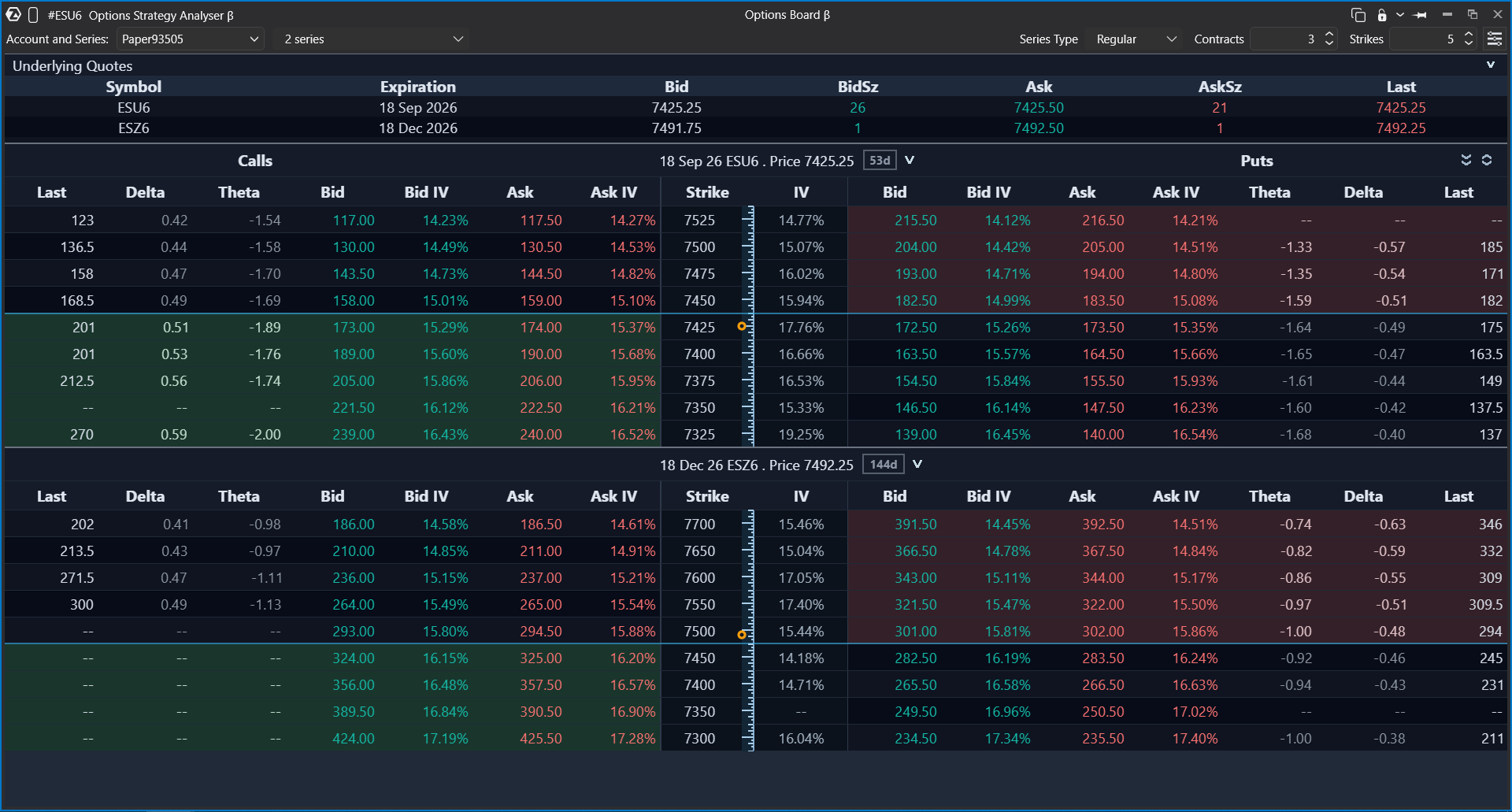
The Option Board helps you view and analyze options that are linked to an underlying instrument, such as a futures contract or a stock. Use it to select an account, choose an option series, review Calls and Puts, compare strikes, and analyze option data such as Bid, Ask, Last, expiration, and Greeks.
Rithmic or Interactive Brokers is required for connection
What is Option Board?
Options are separate instruments that are linked to an underlying asset. One futures contract or stock can have many related options with different strikes and expiration dates.
In ATAS, the Option Board shows option data received from your connected data/trading provider. The available options, expirations, and calculated values depend on the selected account, connector, instrument, and market data permissions.
Before you start
Before using the Option Board, make sure that your connected data provider supports options and provides options data for the selected underlying instrument.
For example, options data can be available through Rithmic or Interactive Brokers, depending on your account and market data subscription.
How to open and configure Option Board
- Open the Option Board window.
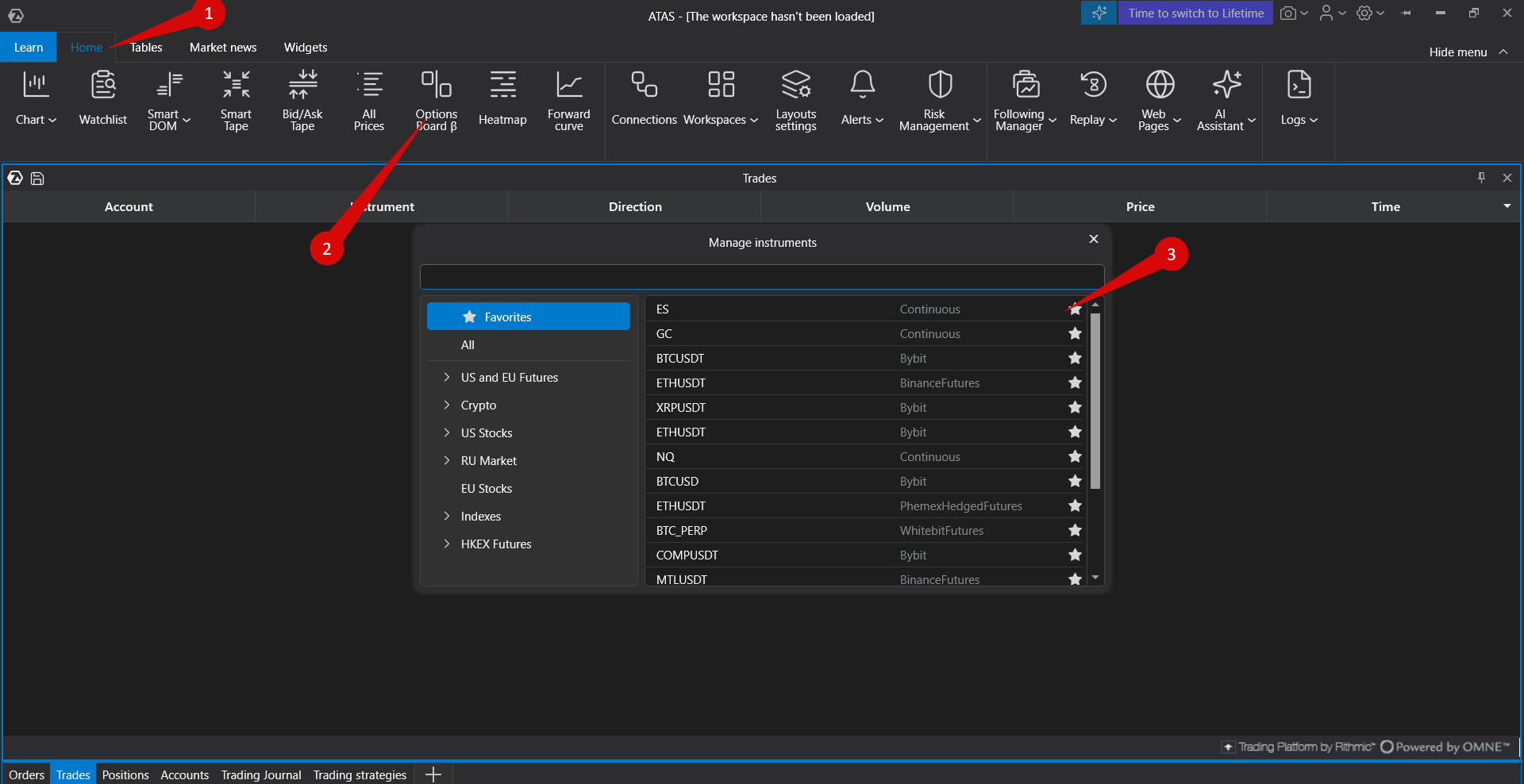 Select the account you want to use.
- ATAS checks whether options can be displayed for the selected account and connector.
- Select an option series. A series is a group of options with the same expiration.
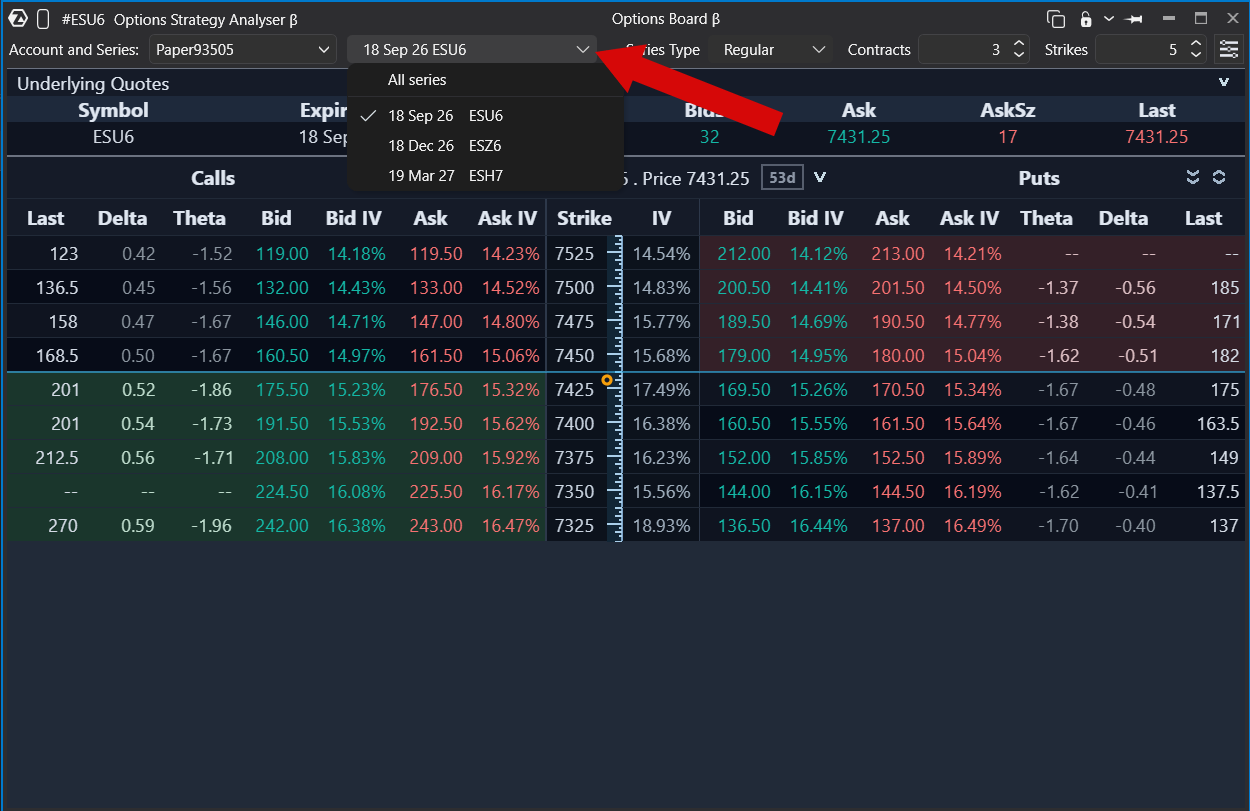 Review the option table for the selected underlying contract.
How to read the Option Board table
The top area shows data for the selected underlying contract, including Bid, Ask, and Last price. The main table shows options linked to that contract.
- Calls are shown on the left side of the table.
- Puts are shown on the right side of the table.
- Each row represents a strike.
- The number of visible strikes can be changed with the strike count slider.
Bid, Ask, Last, and Greeks
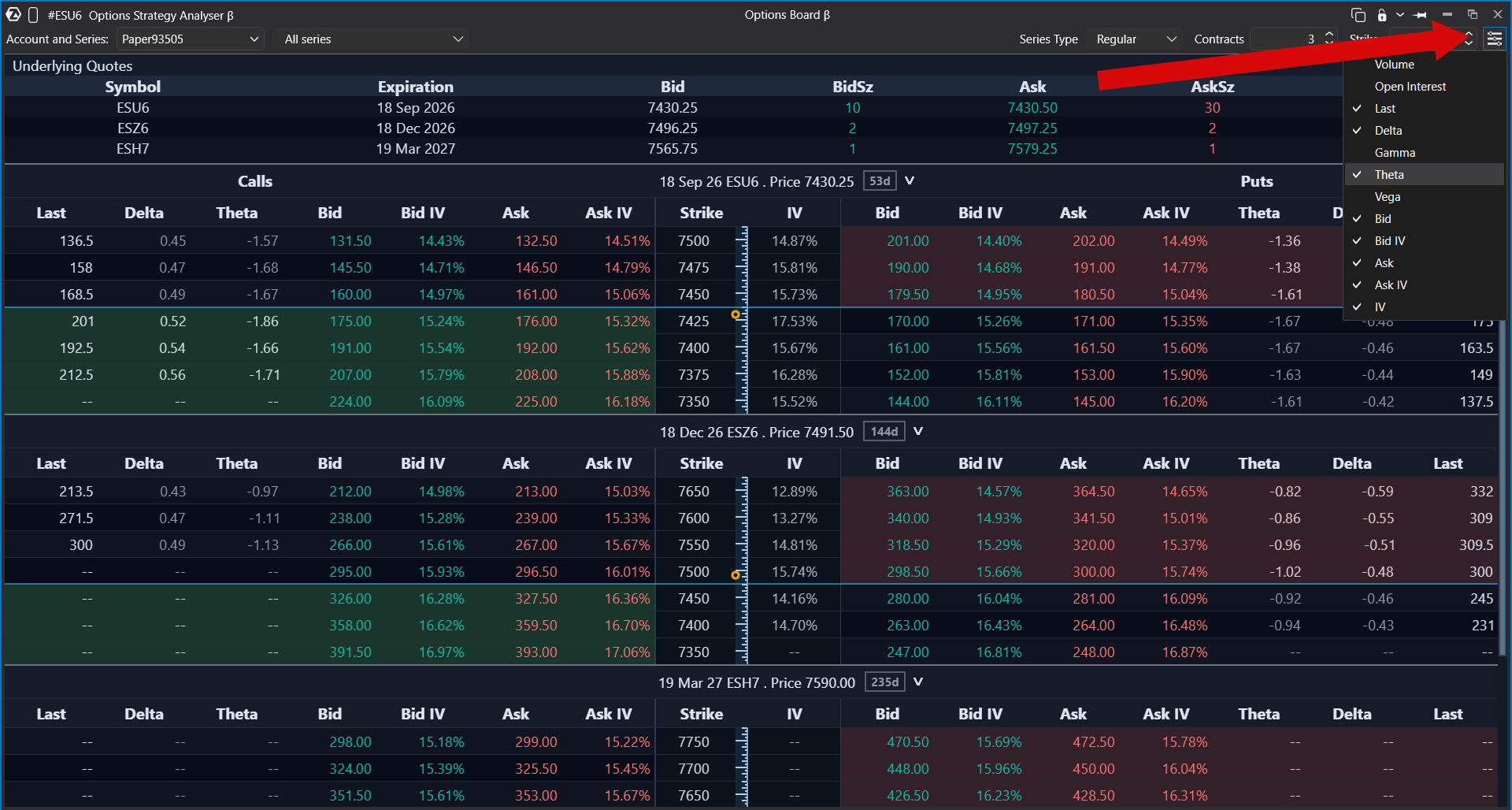
You can add additional parameters to the table from the column/menu settings. The available values depend on what the connector provides.
- Bid is the current bid price for the option.
- Ask is the current ask price for the option.
- Last is the last traded price of the option.
- Delta, Gamma, Theta, and Vega are option Greeks used to analyze the current characteristics of the option.
If the connector does not provide a value, ATAS shows an empty value or a dash for that field.
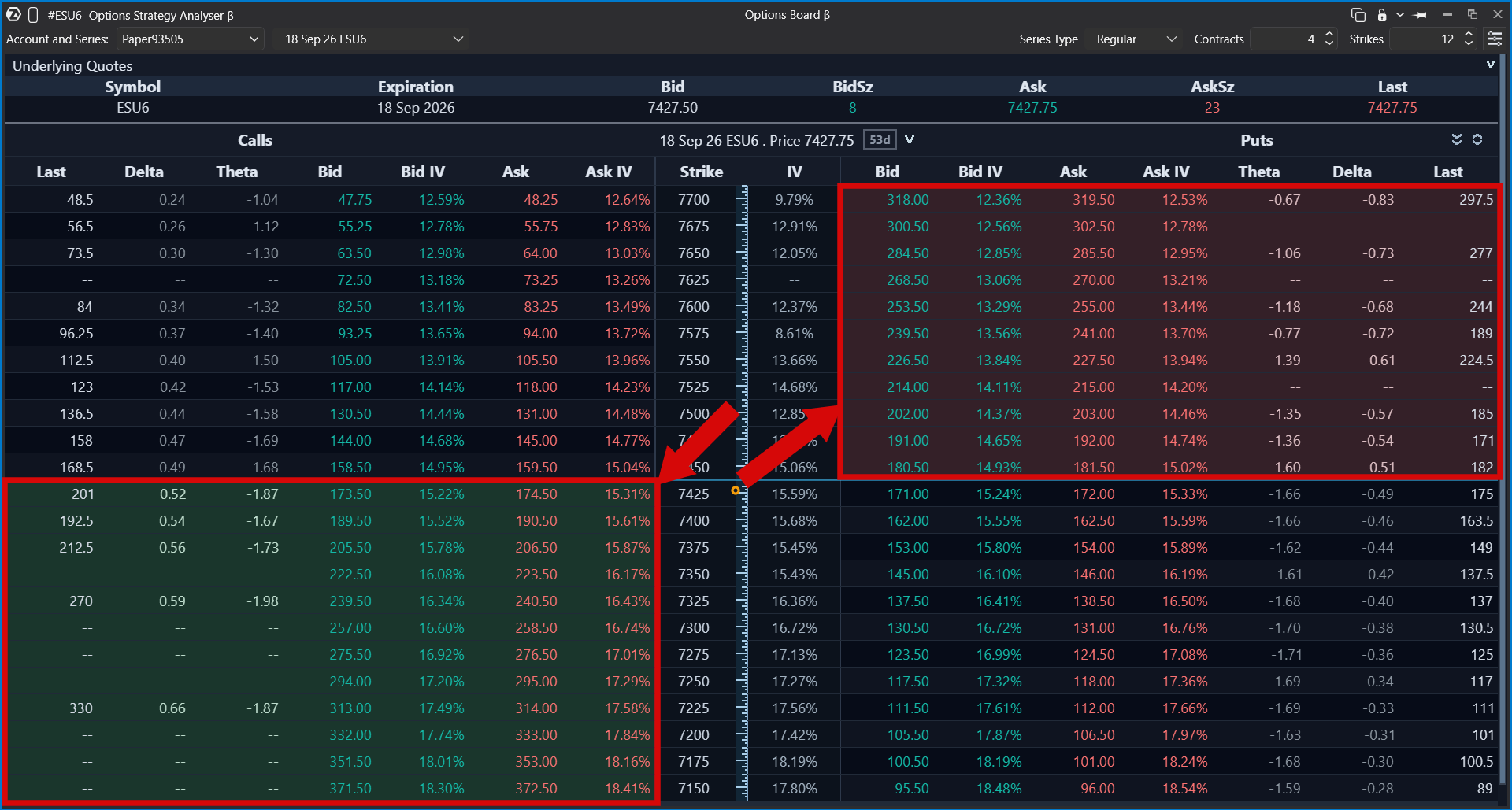
In-the-money highlighting
The Option Board can highlight options that are in the money.
- For Calls, an option is in the money when the strike price is less than or equal to the current price of the underlying instrument.
- For Puts, an option is in the money when the strike price is greater than or equal to the current price of the underlying instrument.
In-the-money options are highlighted with a background color in the table.
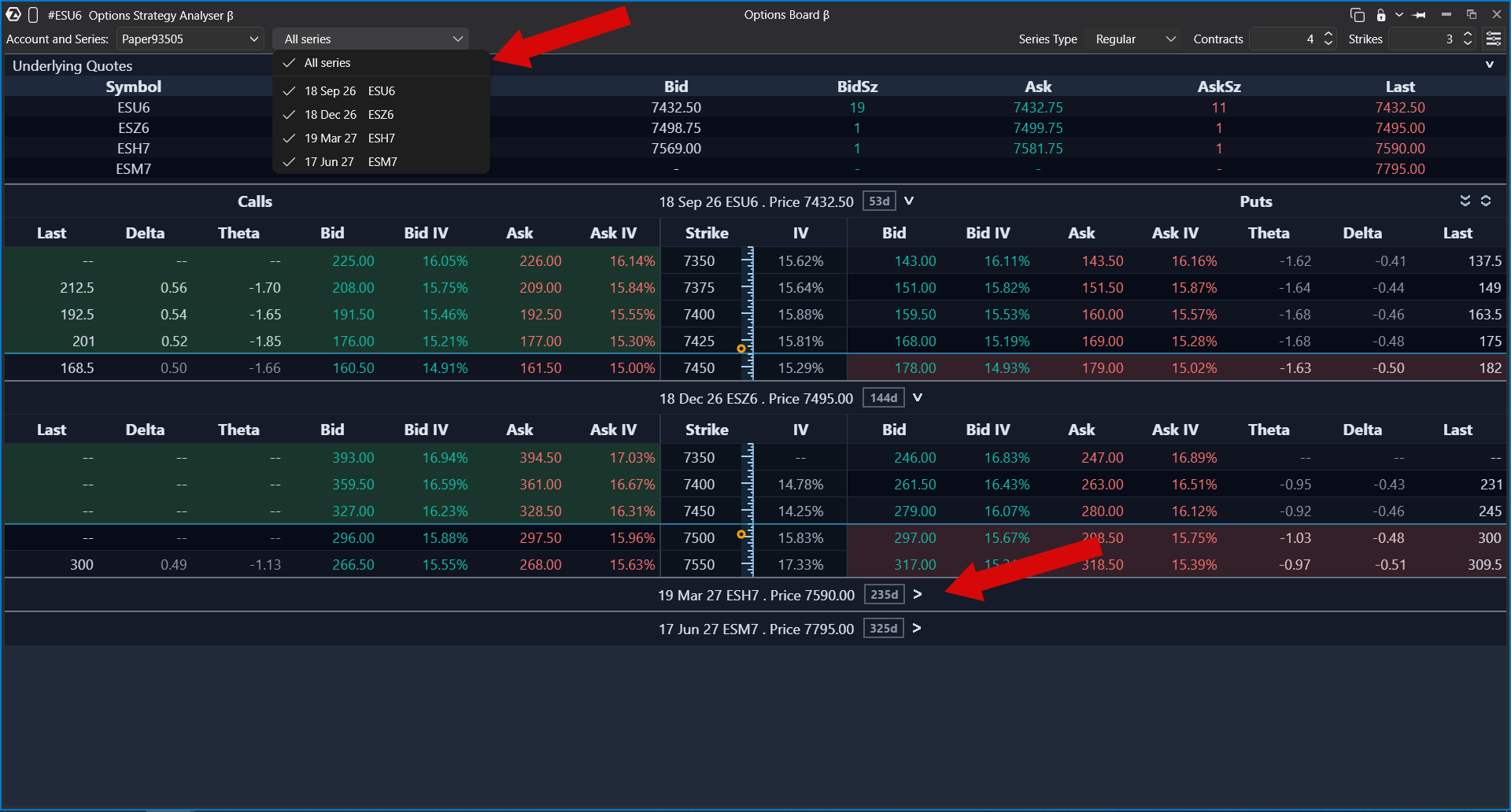
How to view all available expirations
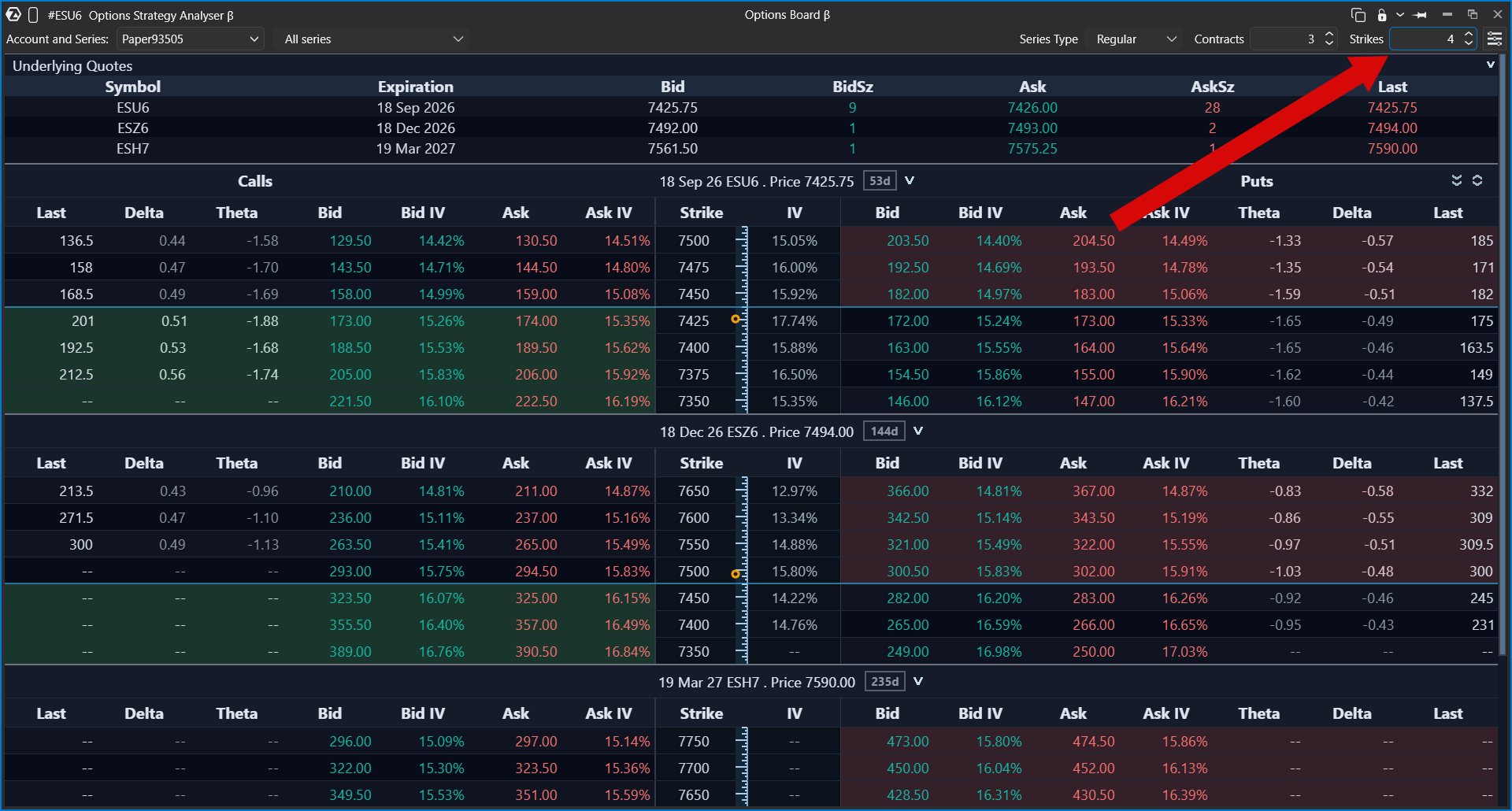
You can display all available expirations received from the connector. In this view, the upper table shows available underlying contracts and the number of days remaining until each expiration.
Option series and expiration blocks can be collapsed and expanded. You can also sort strikes by clicking the strike column.
Number of displayed strikes
The number of displayed strikes defines how many strike prices above and below the current underlying price are shown in the Option Board.
A higher value displays a wider range of option contracts around the current price. A lower value keeps the board more compact and shows only the nearest strikes.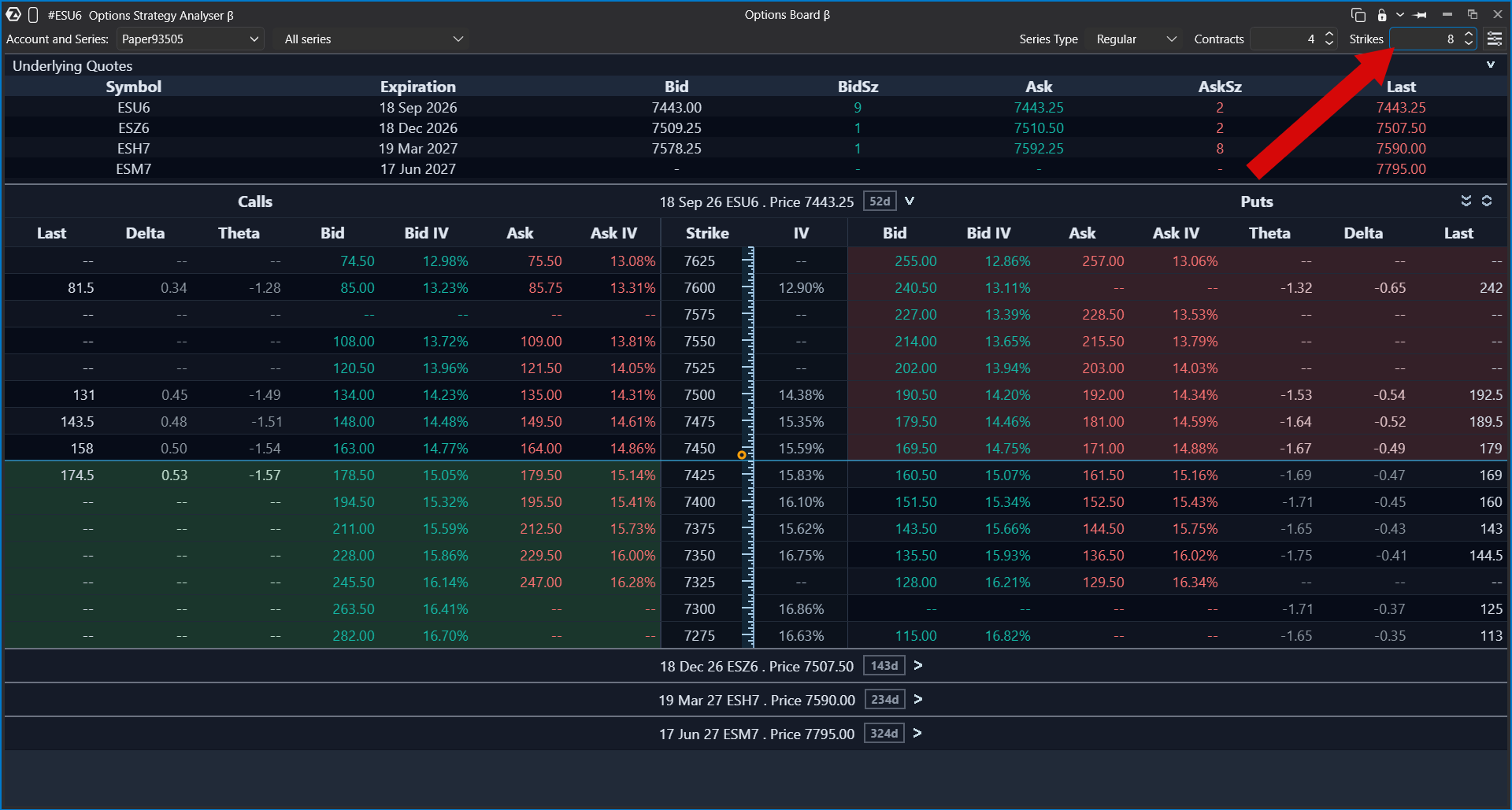
Option series types
Option series types allow you to choose which expiration series are displayed in the Option Board, such as daily, weekly, monthly, or other available series types.
This setting is used to filter option contracts by expiration series type, so you can focus only on the contracts that are relevant for your analysis.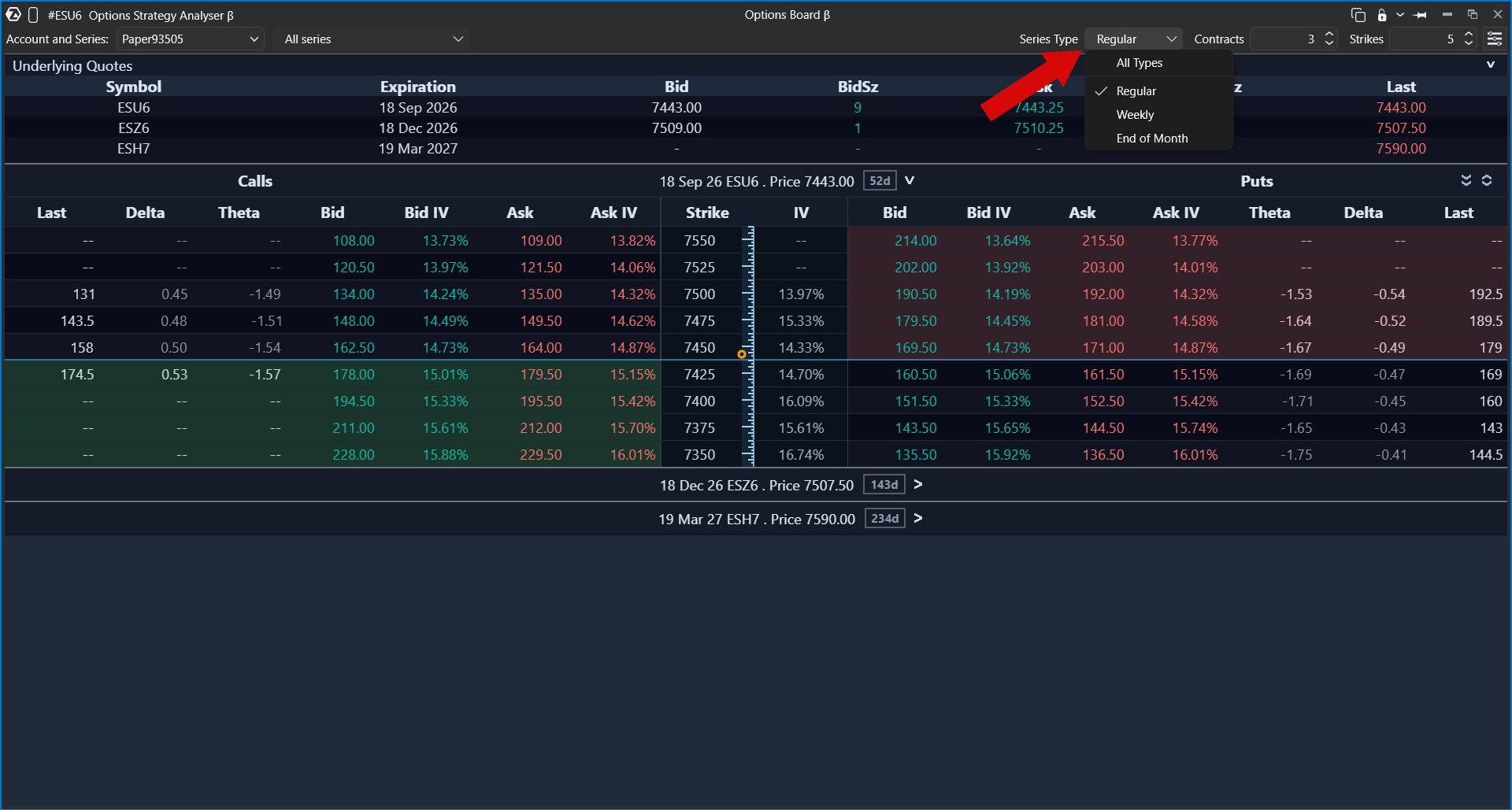
Number of nearest contracts
The number of nearest contracts defines how many nearest expiration dates are shown in the Option Board.
For example, if the value is set to 3, the board shows the three nearest available expirations, taking into account the selected option series types.
This is useful when you want to limit the board to the closest contracts and avoid showing too many distant expirations.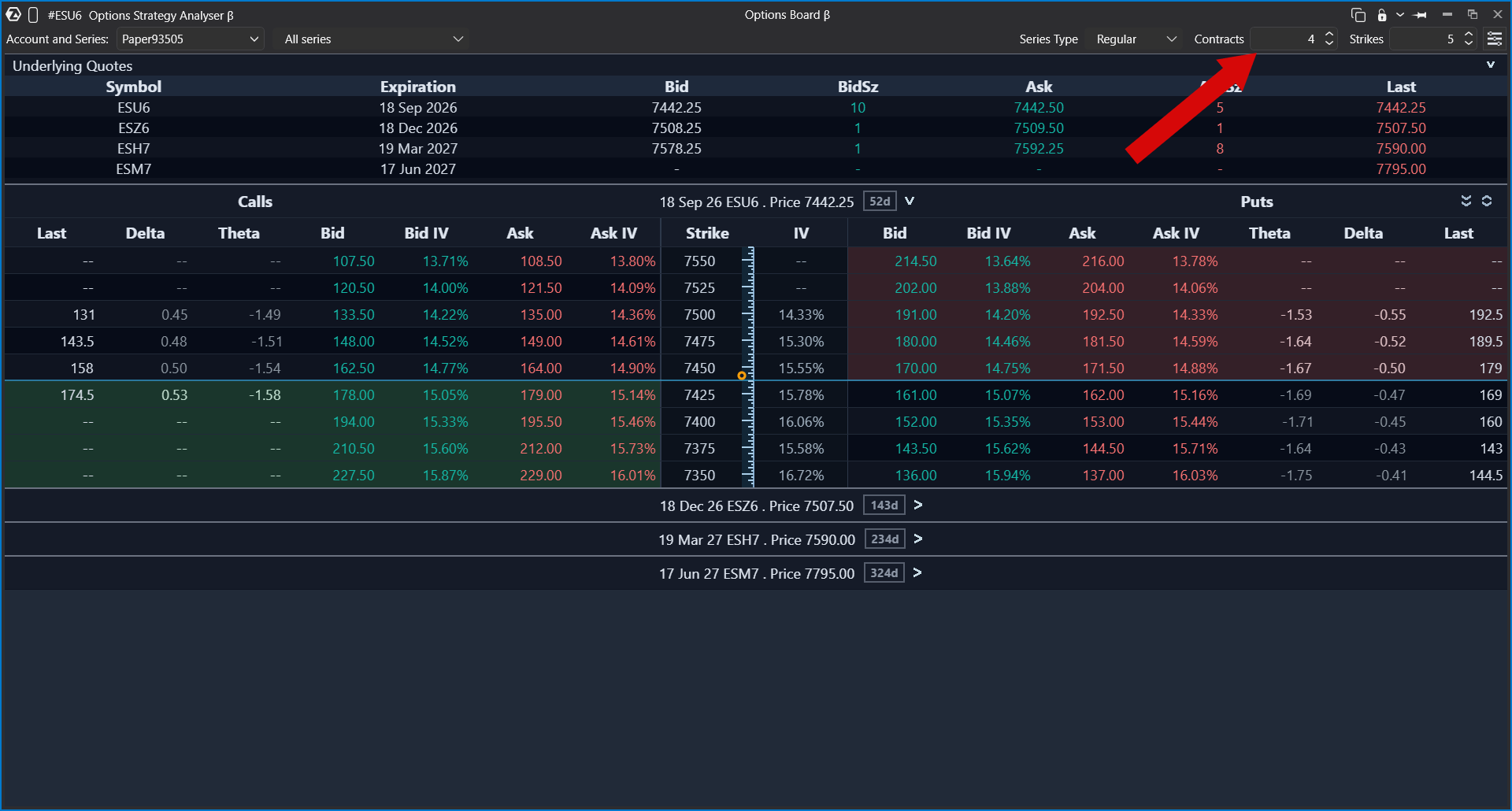
If option data is missing
If options, prices, Greeks, or expirations are missing, check the following:
- the selected account supports options;
- the connector supports options for this account;
- the selected instrument has option contracts;
- your market data subscription includes options data;
- the missing field is provided by the connector.
Option data availability depends on the connector, account permissions, selected instrument, and market data subscription. ATAS displays the values it receives or calculates from the available data.This article explains how the Option Board works in ATAS. It does not provide trading advice.
Related articles
Was this article helpful?
That’s Great!
Thank you for your feedback
Sorry! We couldn't be helpful
Thank you for your feedback
Feedback sent
We appreciate your effort and will try to fix the article