Requesting AMP/CQG Demo Market Data
If you do not yet have AMP/CQG login credentials, you can request free demo market data using the following link:
https://vip.ampfutures.com/atas-cqg
Use this form to obtain demo market data credentials before configuring the AMP/CQG connection in ATAS.
After receiving your demo credentials:
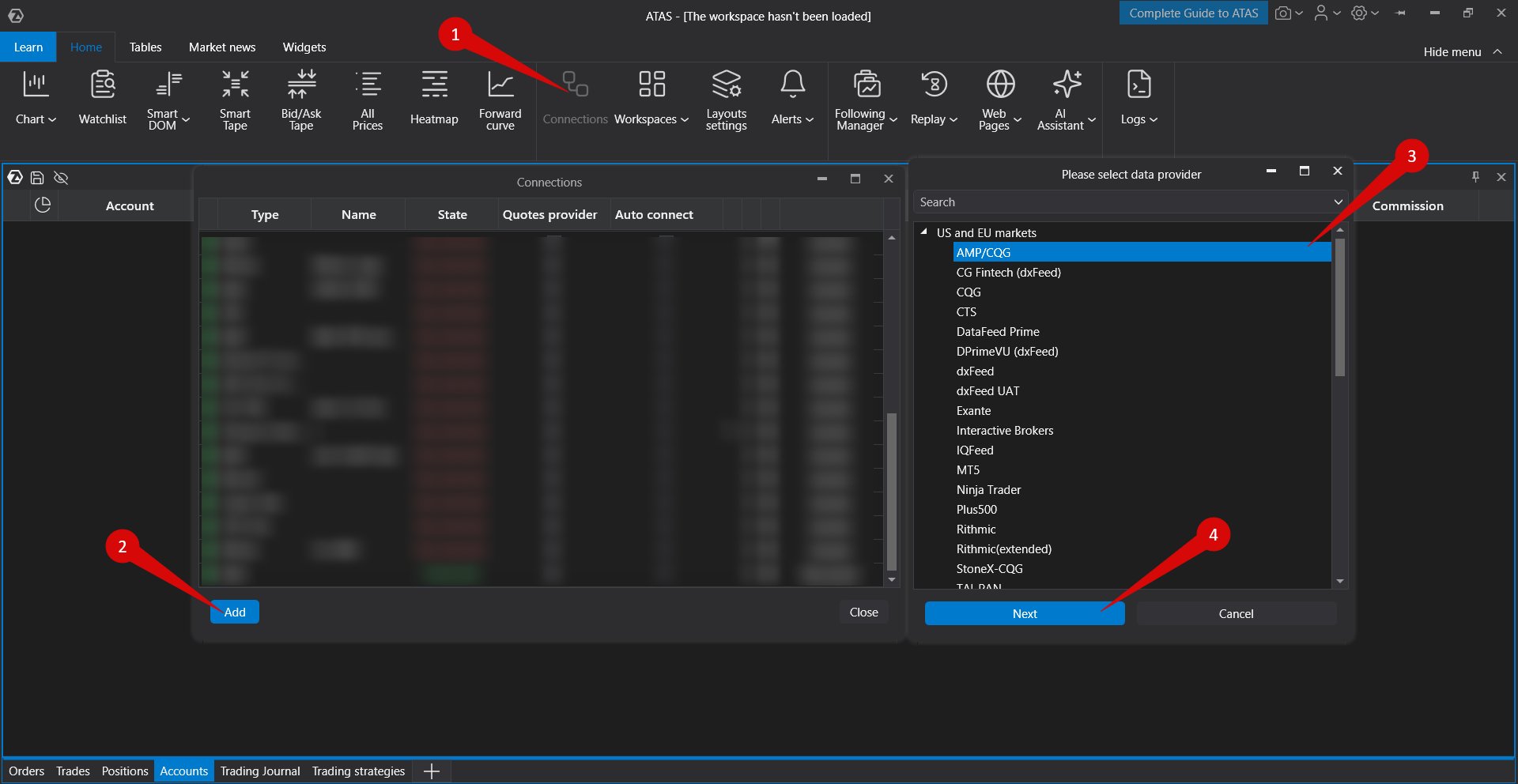
- Open the ATAS platform.
- Select Connections → Add → AMP/CQG.
- Enter the login credentials you received.
- Complete the connection setup.
The same demo request link is also available in the AMP/CQG connector description within the connection setup window.
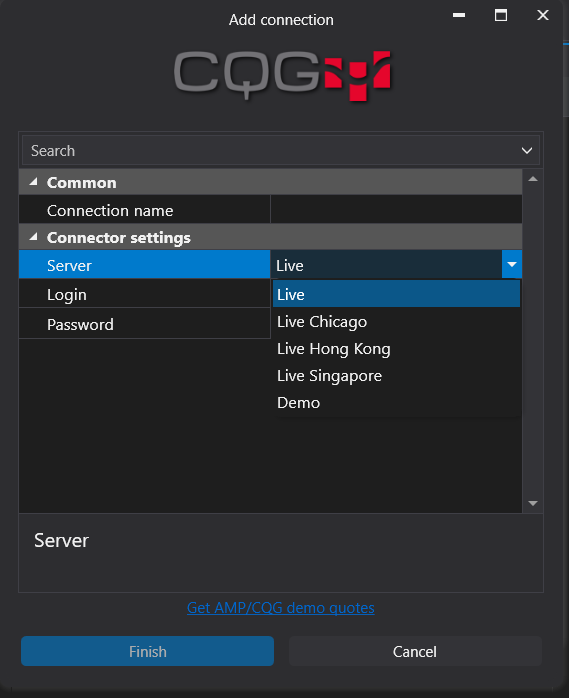
Selecting the Demo Server
If you are using the demo credentials received through the AMP/CQG demo request form, select the Demo server in the connection settings.
Was this article helpful?
That’s Great!
Thank you for your feedback
Sorry! We couldn't be helpful
Thank you for your feedback
Feedback sent
We appreciate your effort and will try to fix the article