This guide provides instructions on how to connect an AvaFutures account to ATAS using MT5.
You should configure MetaTrader 5 before connecting it to ATAS. You can find detailed instructions here: Connecting to MetaTrader 5.
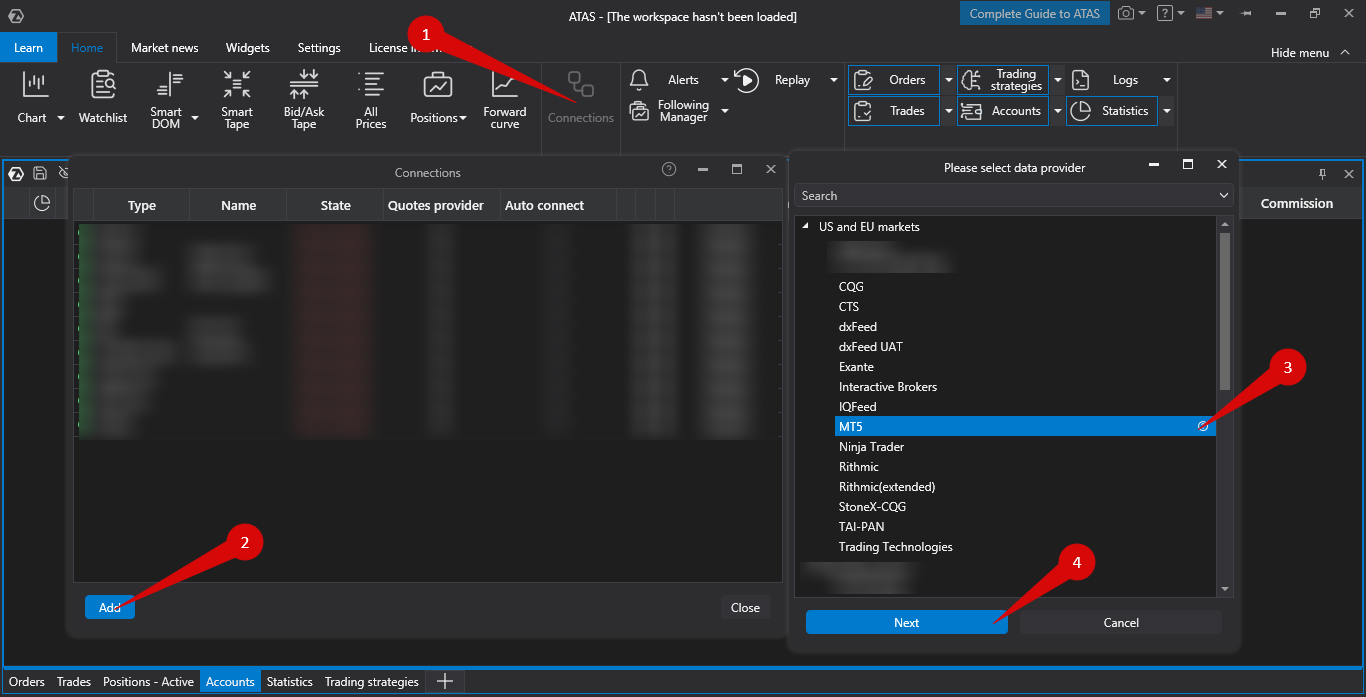
Connect MT5 in ATAS. Open Connections → Add → MT5 → Next.
Configure the connection settings:
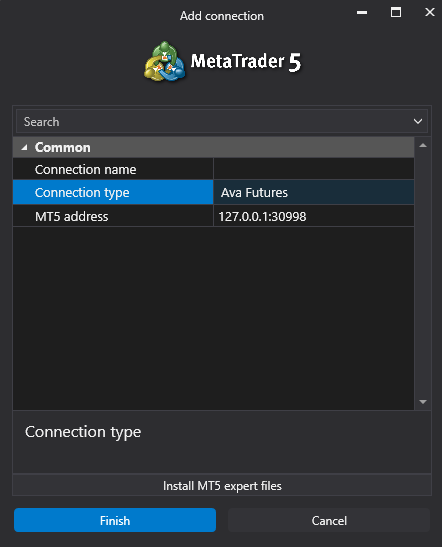
Connection type — select AvaFutures.
MT5 address — use the default local IP address.
After configuring the connection, it will appear as a separate line in the list of connections.
You can read more about the settings of this window here: Connection Settings Window.
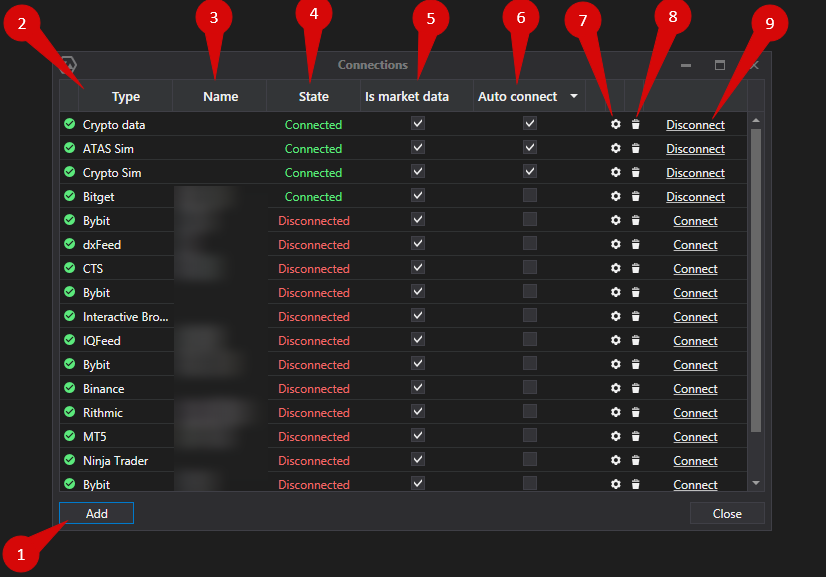
Connection Settings Overview
Add — add a new connection.
Type — connection source.
Name — the connection name, which you can set yourself.
Status — connection status.
Quote Provider — option to select a quote provider (this connection will be used as the quote provider).
Auto-Connect — enables automatic connection when the platform starts.
Connection settings button.
Remove connection button — removes the connection from the list.
Connect/Disconnect — connects or disconnects the connector.
Was this article helpful?
That’s Great!
Thank you for your feedback
Sorry! We couldn't be helpful
Thank you for your feedback
Feedback sent
We appreciate your effort and will try to fix the article