This guide provides instructions for connecting a TradeDay account to the ATAS platform.
If you already have a license, you should use a Rithmic connection and select the Rithmic Paper Trading server.
Before launching the platform and connecting the account, you need to register here:
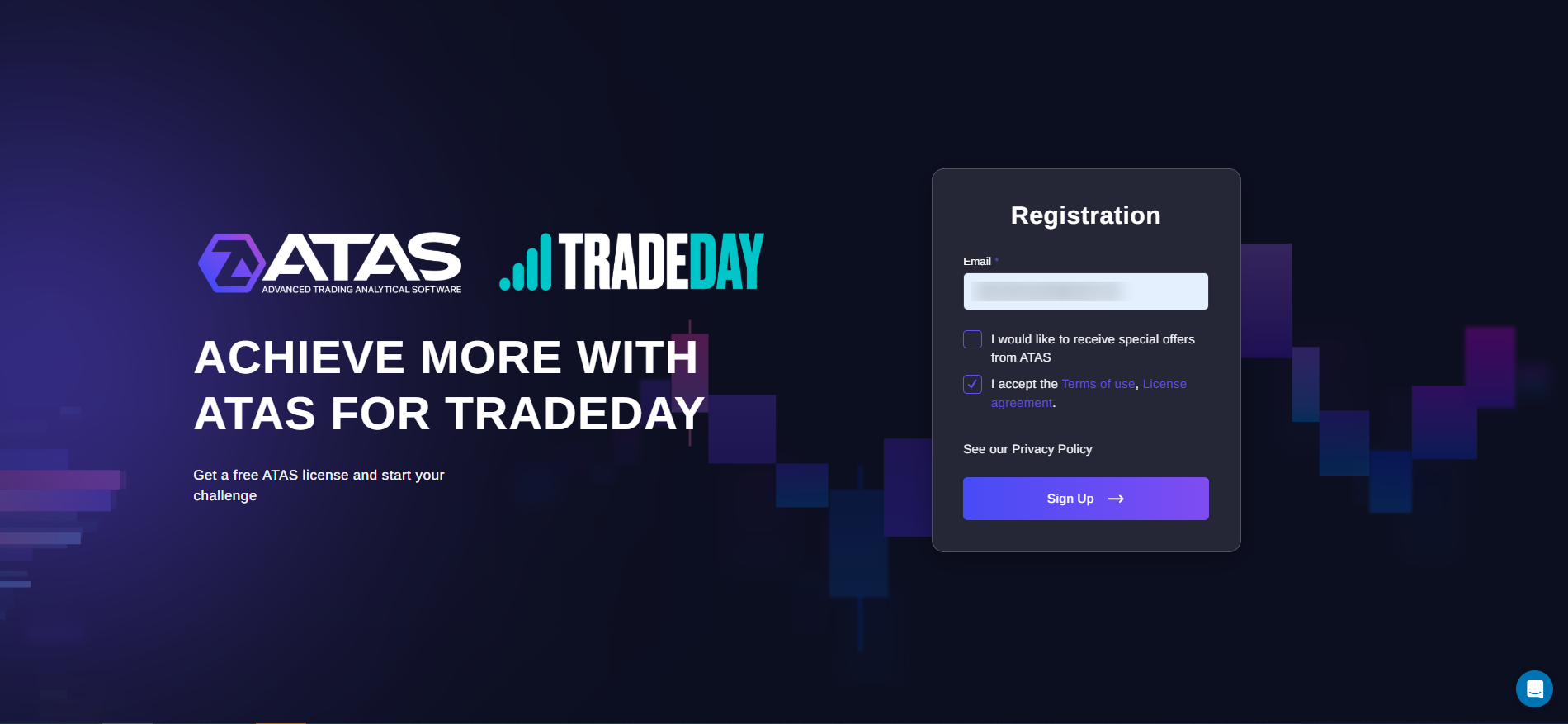
If you already have an ATAS account, use the same login credentials. If you don’t have an account and are signing up with a new email address, use the credentials you receive via email.
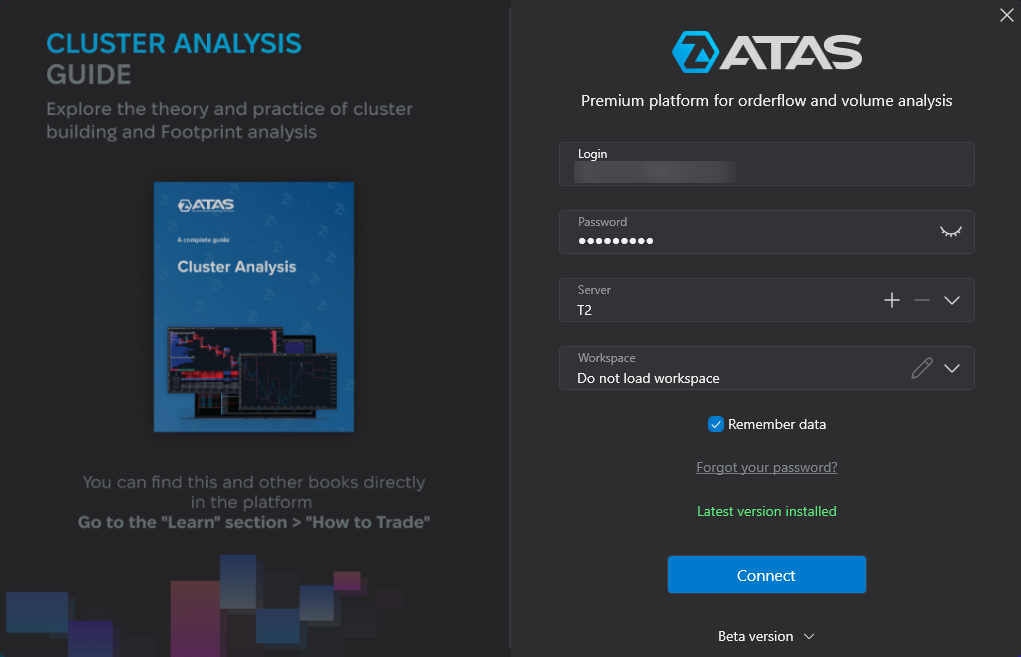
In the ATAS login menu, enter your username and password.
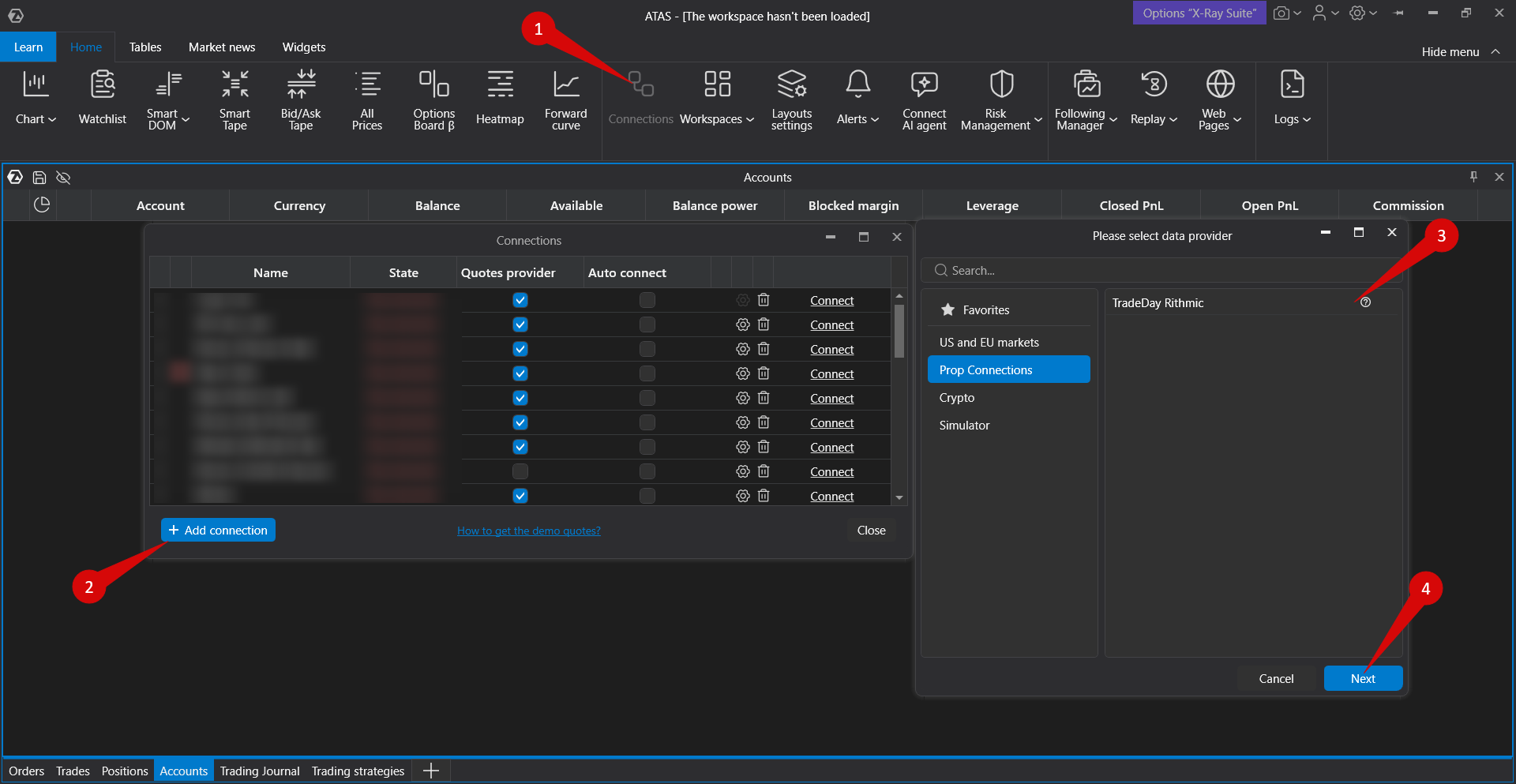
To connect the account, click Connections in the main platform window, then click Add. In the next window, select TradeDay Rithmic.
Enter the login and password for your TradeDay account.
Use the login and password provided by TradeDay. Your atas.net credentials will not work here.
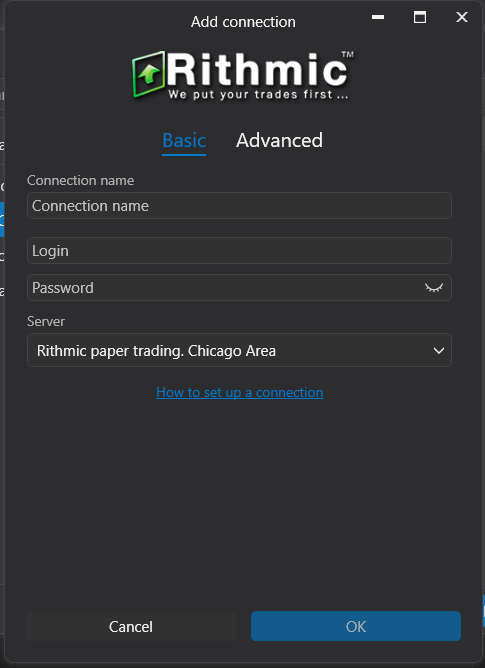
When connecting, it is important to select the Rithmic Paper Trading server.
Click Finish.
After configuring the connection, it will appear as a separate line in the list of connections.
You can read more about the settings of this window here: Connection Settings Window.
Was this article helpful?
That’s Great!
Thank you for your feedback
Sorry! We couldn't be helpful
Thank you for your feedback
Feedback sent
We appreciate your effort and will try to fix the article