ATAS receives cryptocurrency market data through exchange-specific market data connectors. In most cases, you do not need to create a Crypto Data connection manually before opening a crypto chart.
When you open a cryptocurrency instrument, ATAS checks whether the required exchange connector is available. If it does not exist, the platform automatically creates and connects the appropriate market data connector.
Crypto Data is still available as a manual connection option, but it is no longer the default source for cryptocurrency market data.
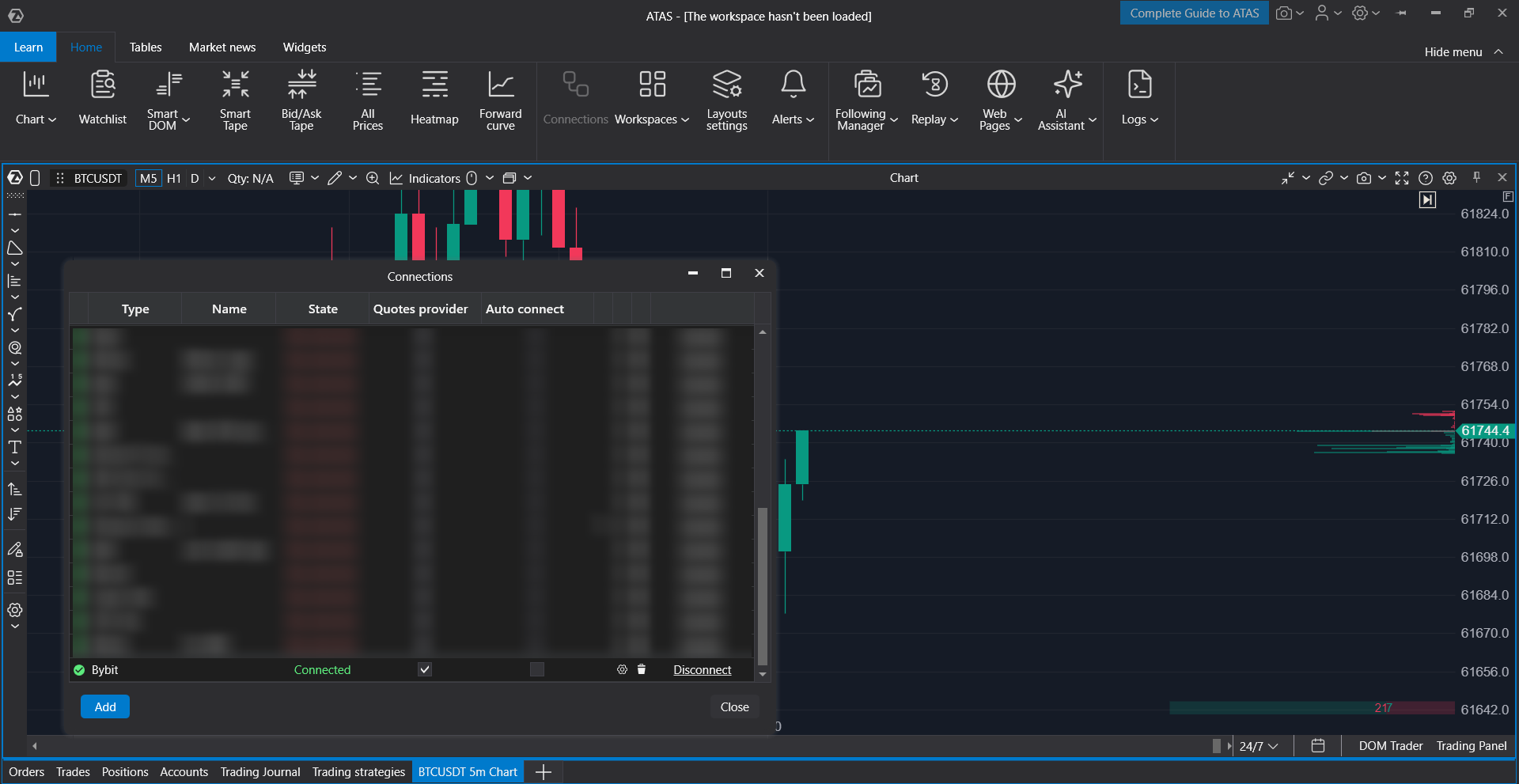
Example: When you open a BTCUSDT (Bybit) chart, the Bybit connector is created and connected automatically to provide live market data.
How Automatic Crypto Connections Work
When you open a cryptocurrency instrument, ATAS performs the following steps automatically:
- Determines which exchange the selected instrument belongs to.
- Checks whether the corresponding exchange connector already exists.
- If the connector exists but is disconnected, reconnects it automatically.
- If the connector does not exist, creates and connects it automatically.
- Begins receiving live market data for the chart.
This process allows crypto charts to start receiving market data without requiring you to configure connections manually.
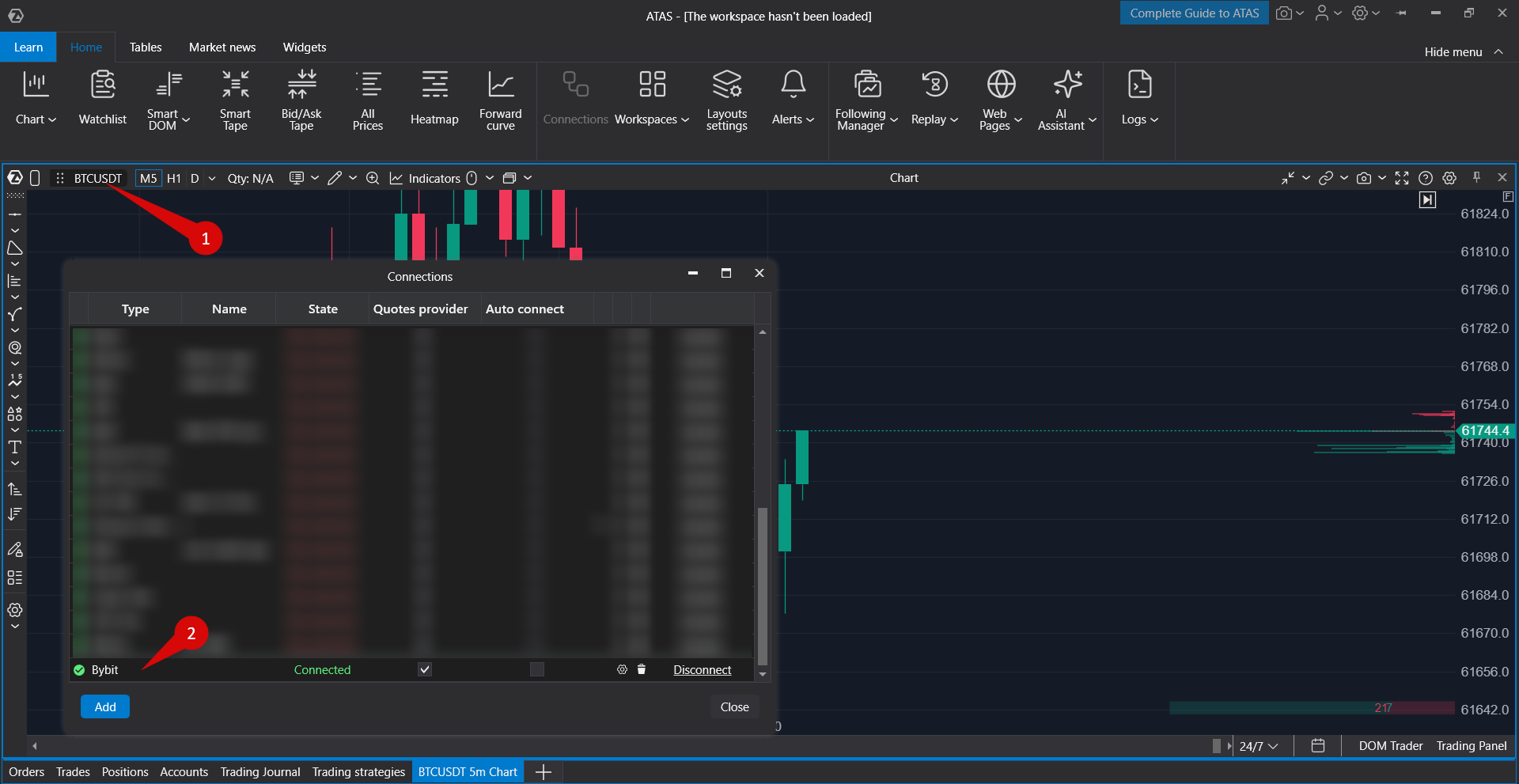
Autoconnect vs Automatic Exchange Connection
ATAS supports two independent connection mechanisms:
- Autoconnect at platform startup — the connector is connected automatically when ATAS starts if the Auto-Connect option is enabled.
- Automatic connection when opening a crypto chart — ATAS creates or connects the required exchange market data connector only when you open a cryptocurrency instrument.
If you want a connector to connect every time the platform starts, enable Auto-Connect for that connector.
When to Use Crypto Data
Crypto Data can still be added manually if you specifically want to use it as the market data source.
For example, it may be useful when:
- direct exchange market data is unavailable in your region;
- your existing workspace is based on Crypto Data;
- you prefer using Crypto Data instead of exchange-specific connectors.
Crypto Data is never created or connected automatically. If you want to use it, you must add the connection manually.
Adding a Crypto Data Connection
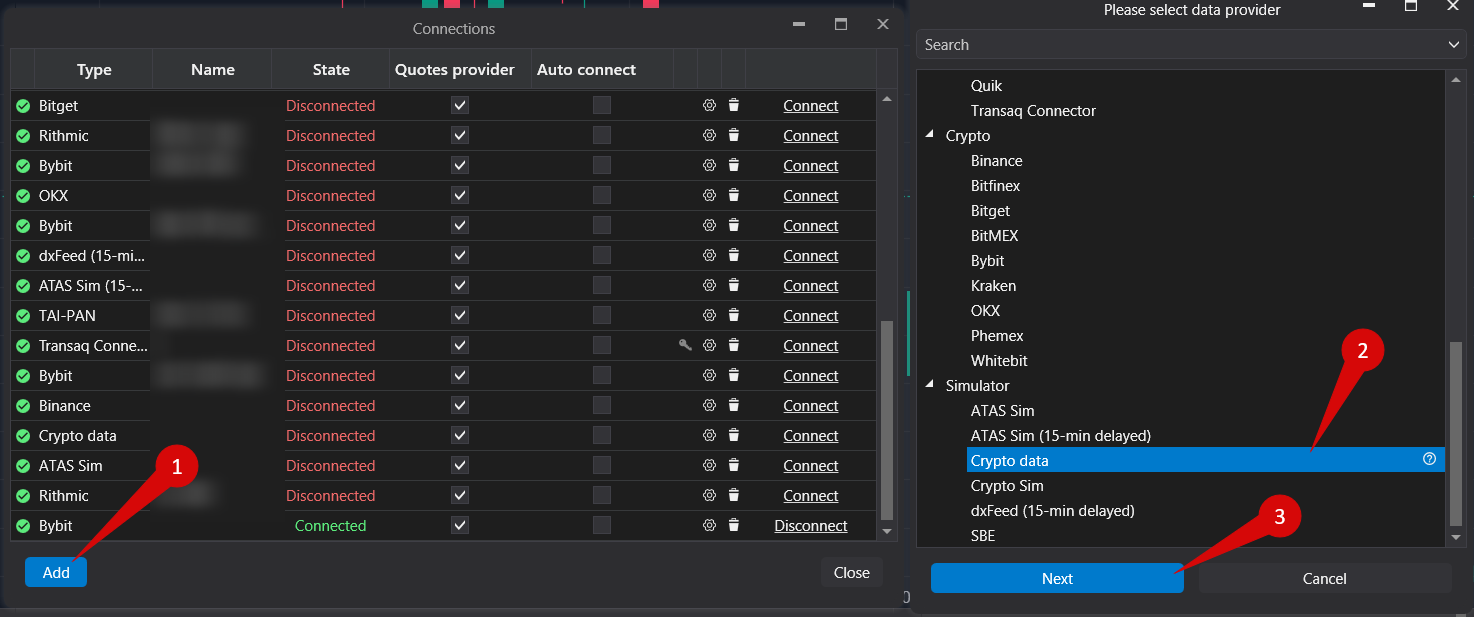
- Open the main ATAS window.
- Select Connections.
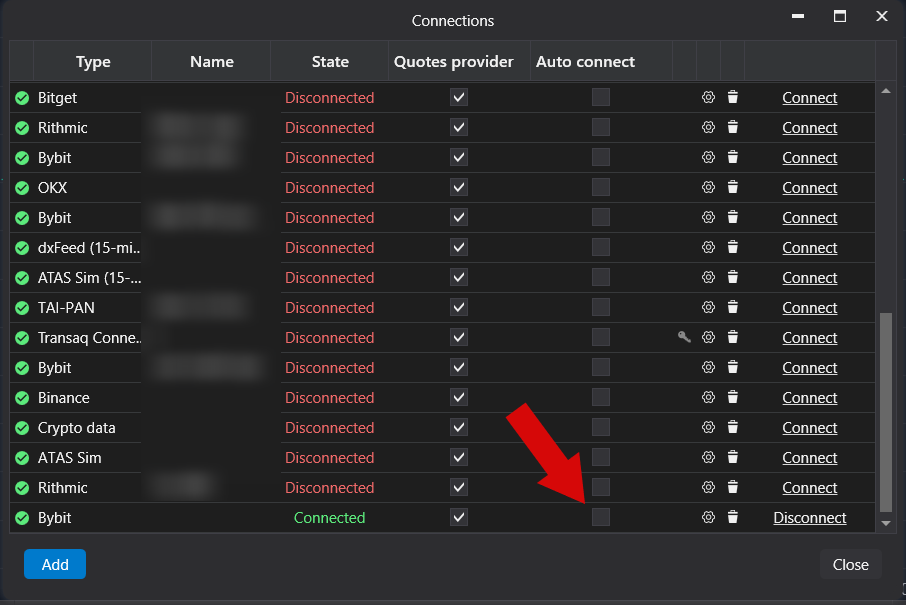
- Click Add.
- Select Crypto Data.
- Complete the connection setup.
- Connect it manually or enable Auto-Connect if you want it to connect automatically when the platform starts.
After it is added, Crypto Data appears as a separate connection in the Connections window.
If an active Crypto Data connection is available, ATAS may use it instead of automatically creating additional exchange-specific market data connectors.
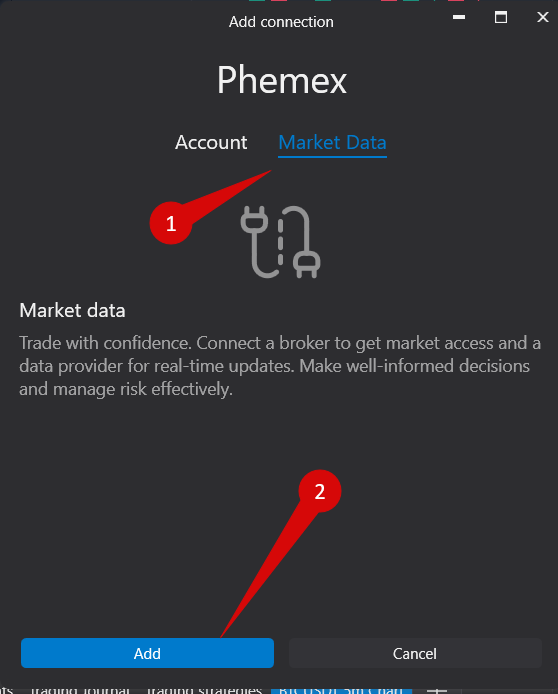
Phemex Connector
Phemex uses its own dedicated connector.
If you only need market data, the connector can be used without trading API keys.
If you intend to trade through Phemex, configure the connector according to your trading account settings.
Important Notes
- CryptoData is no longer the default source for cryptocurrency market data.
- For most cryptocurrency instruments, ATAS automatically uses the corresponding exchange market data connector.
- CryptoData remains available as an optional manual connection.
- Auto-Connect at platform startup and automatic connection when opening a crypto chart are separate features.
- If a crypto chart does not receive market data, verify the status of the corresponding connector in the Connections window.
- The list of supported cryptocurrency connectors depends on the current platform version and available integrations.
Was this article helpful?
That’s Great!
Thank you for your feedback
Sorry! We couldn't be helpful
Thank you for your feedback
Feedback sent
We appreciate your effort and will try to fix the article