Working with Chart Templates
The ATAS platform allows you to save chart settings as templates, making it easy to quickly apply your preferred chart configuration.
Opening the Templates Window
To open the templates menu, click the highlighted button on the chart toolbar.
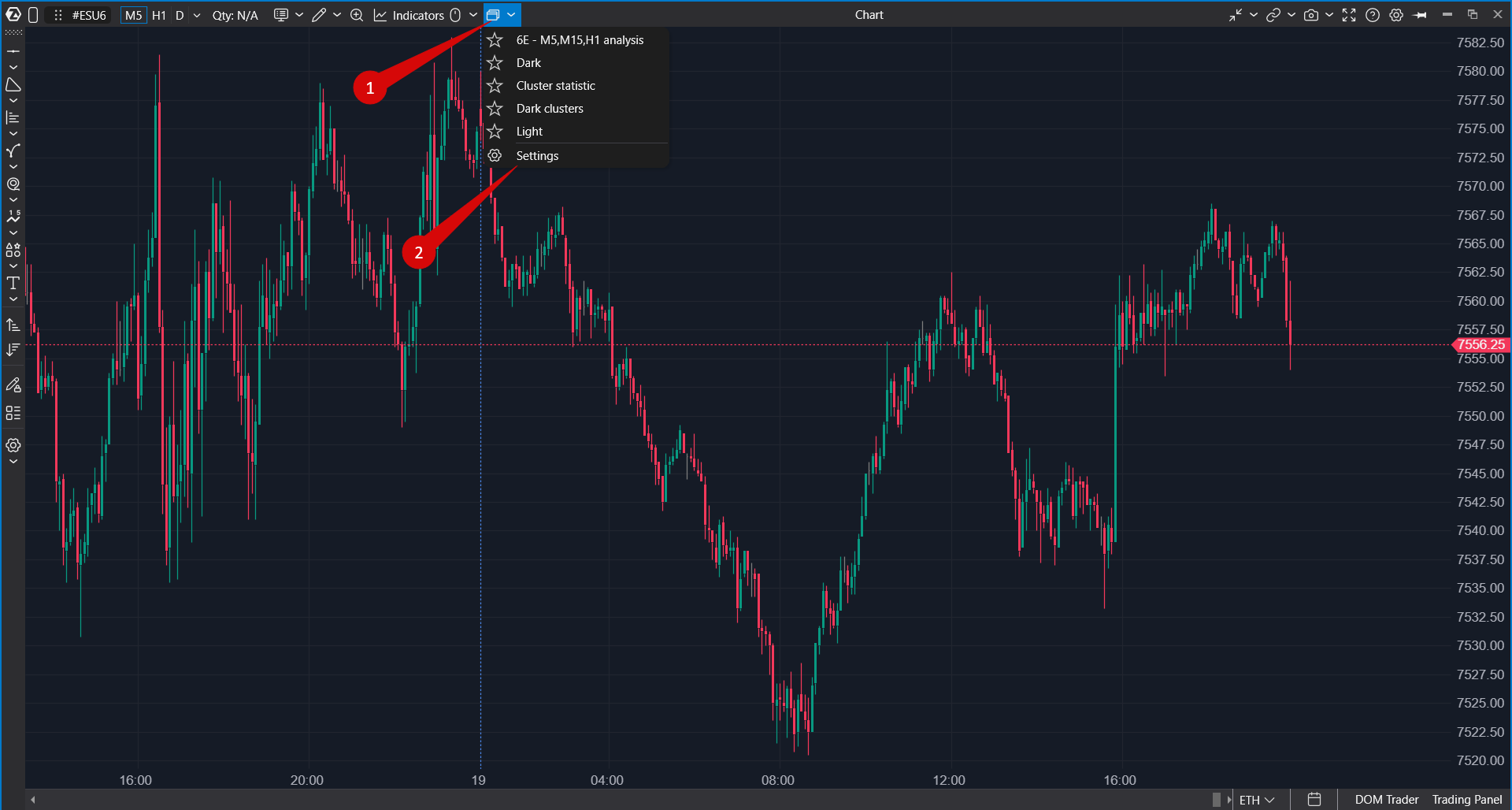
The Templates window will open.
Available Actions
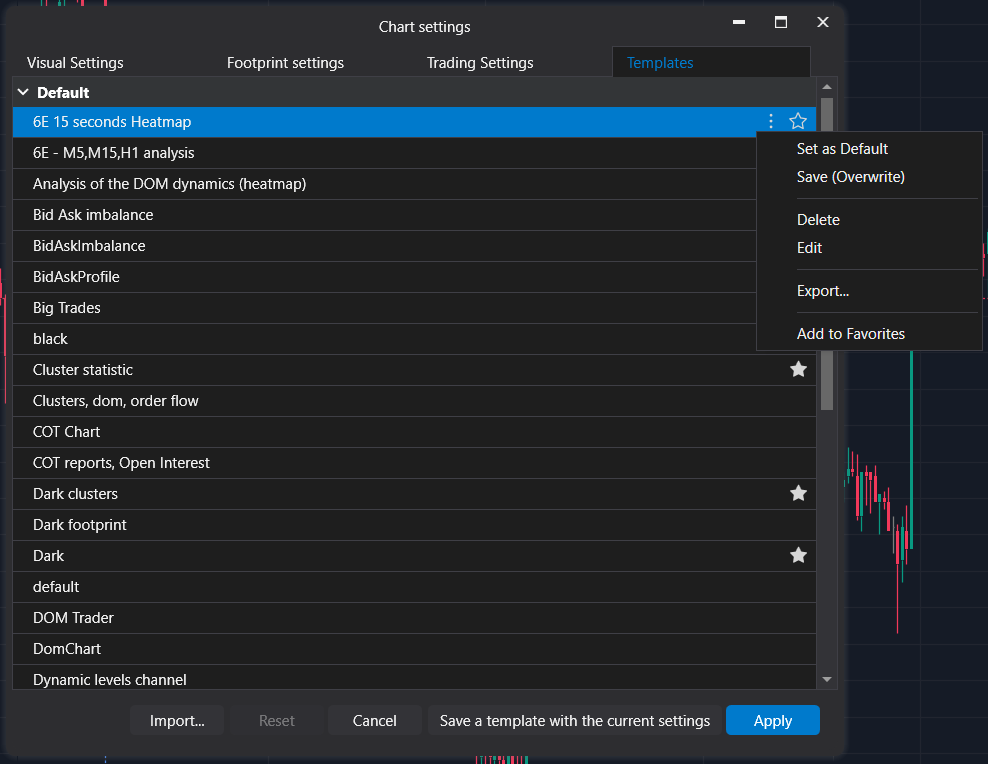
The Templates window allows you to perform the following actions:
- Save — save the current chart configuration as a template.
- Edit — modify an existing template.
- Set as Default — automatically apply the selected template when opening new charts.
- Export — export a template for backup or sharing.
- Select Template — apply a saved template to the current chart.
Was this article helpful?
That’s Great!
Thank you for your feedback
Sorry! We couldn't be helpful
Thank you for your feedback
Feedback sent
We appreciate your effort and will try to fix the article