Installing ATAS on macOS
ATAS was developed for the Windows operating system. To run the platform on macOS, use Parallels Desktop or another virtualization solution.
You can also test ATAS X for Mac: https://atas.net/atas-x/
The video below demonstrates how to install ATAS using Parallels Desktop.
To use ATAS on Windows 11 via Parallels, you may need to isolate Windows from macOS, as shown in the screenshot below.
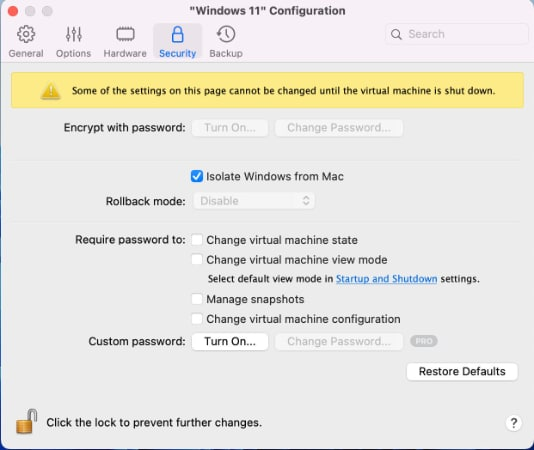
Was this article helpful?
That’s Great!
Thank you for your feedback
Sorry! We couldn't be helpful
Thank you for your feedback
Feedback sent
We appreciate your effort and will try to fix the article