How to Purchase a License and Request a Refund
Purchasing a License
To purchase an ATAS license, open atas.net → Prices.
Select the subscription plan that best suits your needs and click Pay Now.
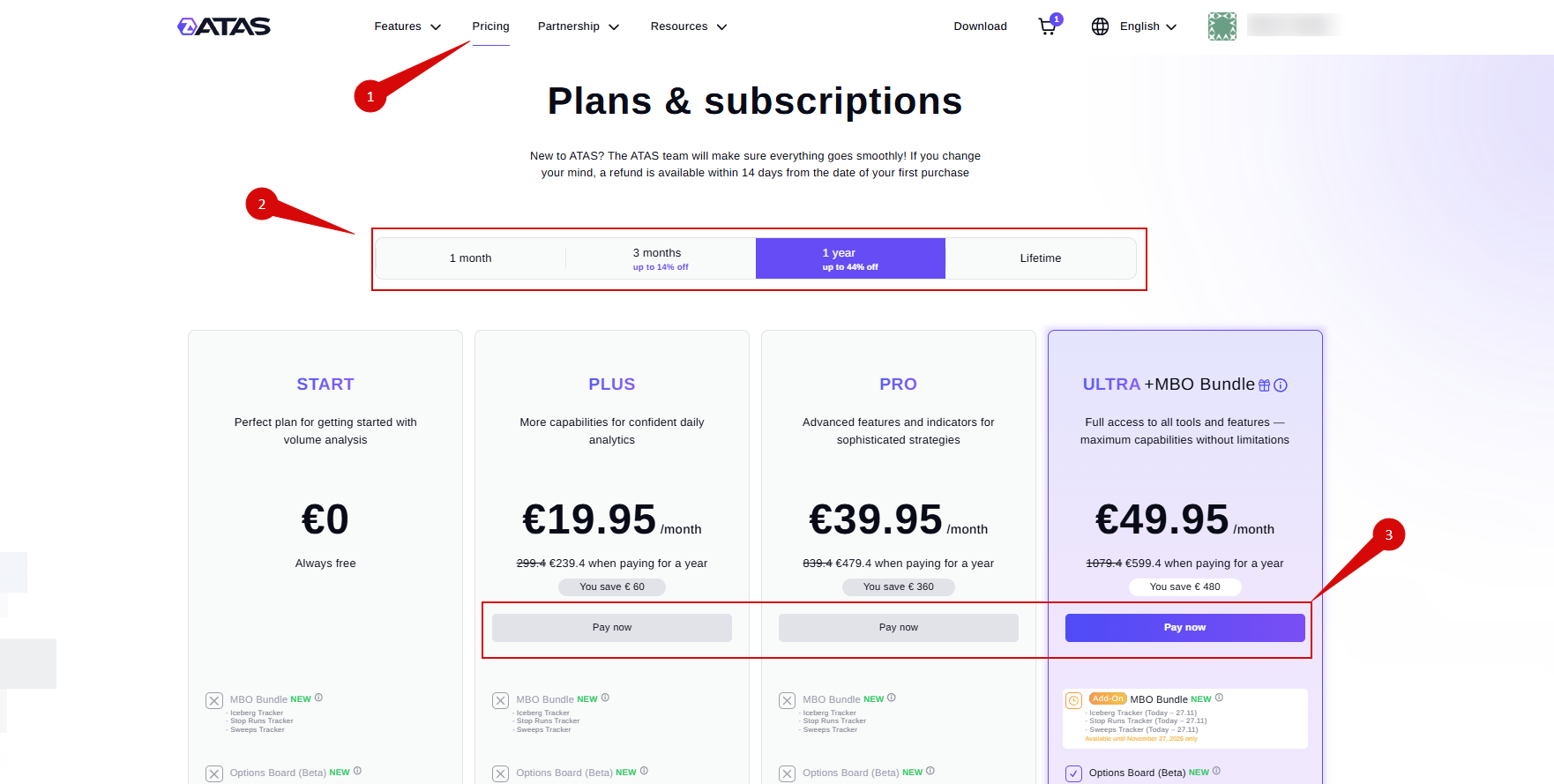
After clicking Pay Now, you will be redirected to your ATAS account to complete the purchase.
Purchase with a Bank Card
Select Debit/Credit Card (Visa, Mastercard, Maestro).
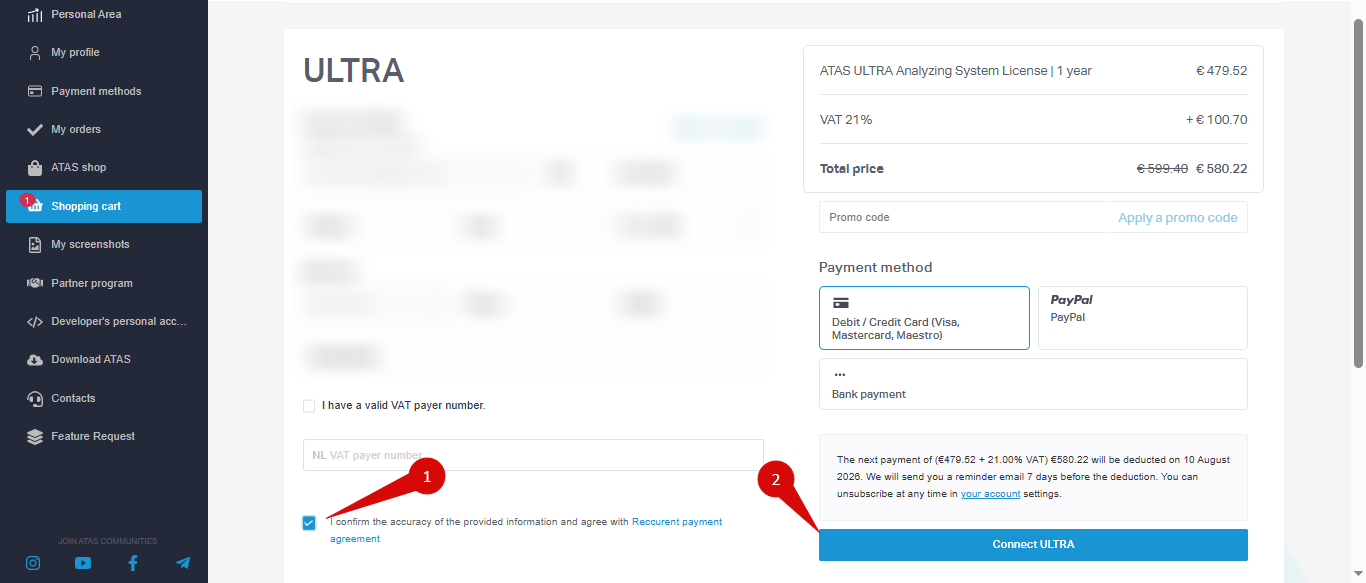
If you are not signed in, log in to your ATAS account or create a new account.
Confirm the agreement by selecting I confirm the accuracy, then click Connect tariff.

Enter the following payment details:
- Name on the Card — cardholder's first and last name.
- Card Number — 16-digit card number.
- Expiration Date — card expiration month and year.
- CSC/CVC — 3-digit security code.
ATAS Support will never ask for your CSC/CVC code or card expiration date.
Click Pay now securely and wait for the payment to be processed.
Purchase via PayPal
Enter your PayPal account credentials.


Click Agree & Subscribe and wait for the confirmation.

Subscription status may update with a short delay after payment.
Purchase via Bank Transfer
Bank transfer is available only for licenses with a duration of 6 months or longer.
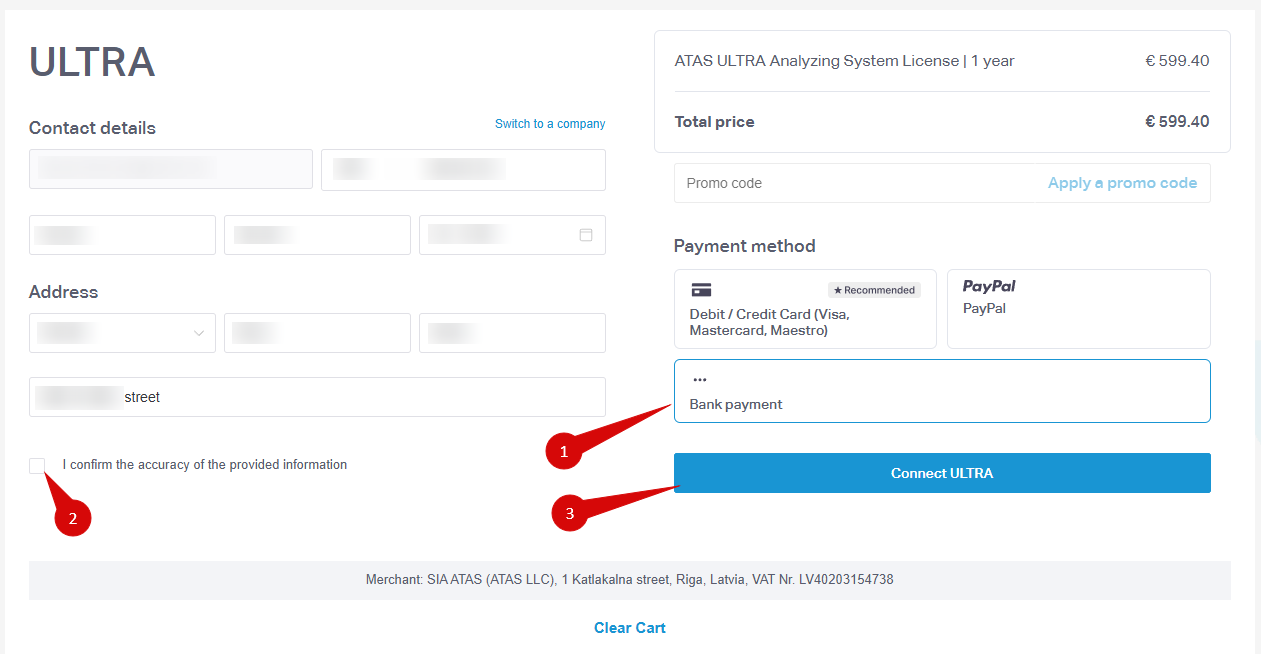 Select Bank Payment, complete the registration form, and click Connect tariff.
A Proforma Invoice will be generated. Use this invoice to complete the bank transfer.
You can check the status of your license in your account: https://my.atas.net/dashboard
Requesting a Refund
To request a refund, send an email to support@atas.net from the same email address used for the purchase. Clearly state that you would like a refund and include the reason for your request.
Refunds are available only within 14 days of the initial license purchase.
Refund Policy
ATAS provides a free trial period, allowing you to evaluate the platform before purchasing a license.
If you are not satisfied with the platform, you may request a full refund within 14 days of your first purchase.
For additional assistance, contact:
Was this article helpful?
That’s Great!
Thank you for your feedback
Sorry! We couldn't be helpful
Thank you for your feedback
Feedback sent
We appreciate your effort and will try to fix the article