Trading Journal
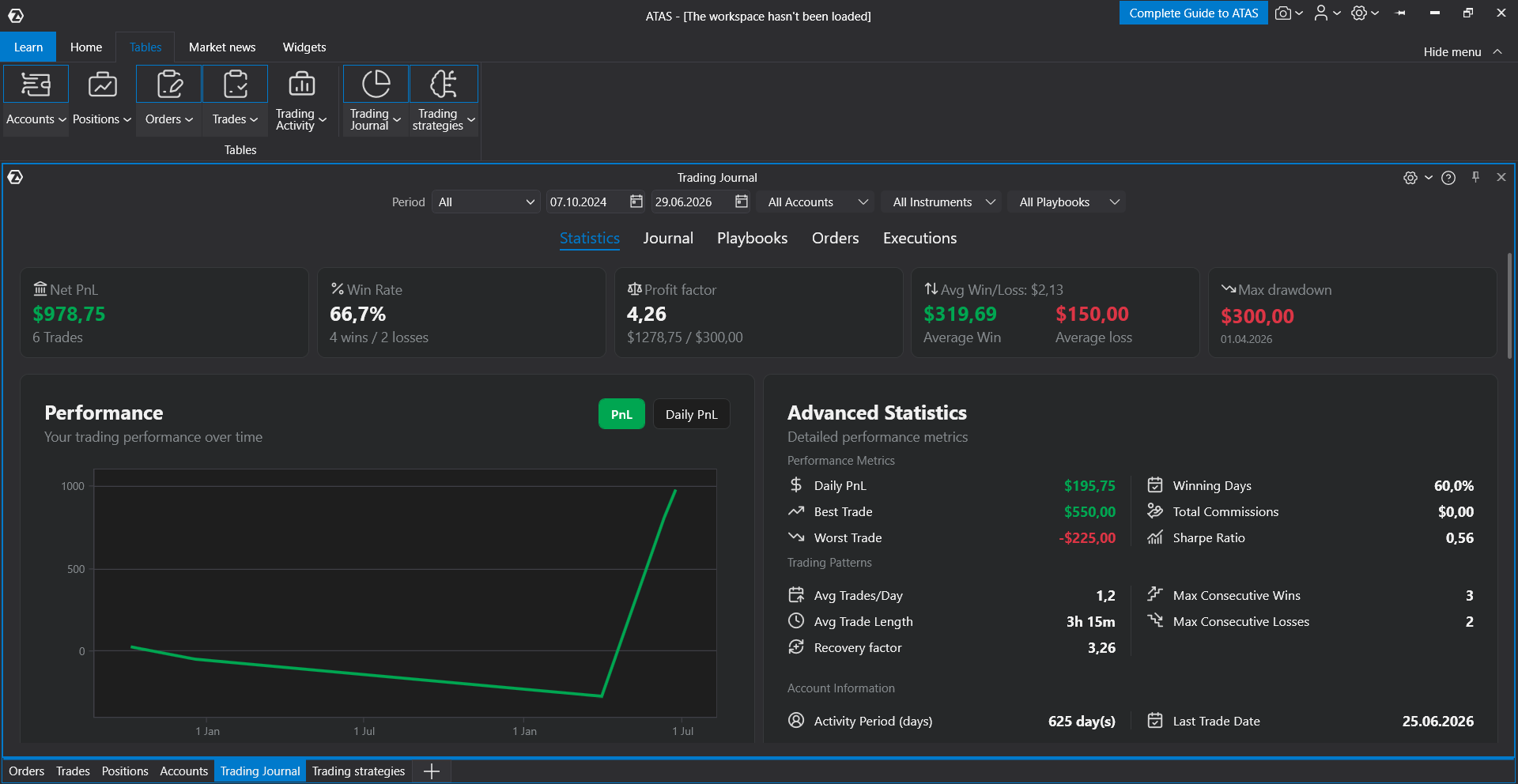
Trading Journal is an ATAS module for analyzing trading performance. It collects trades, orders, and executions, provides summary statistics for the selected period, and helps you review your trading by account, instrument, and playbook.
The module allows you to evaluate your trading performance, monitor your equity curve, analyze profitable and losing days, identify your best-performing instruments and setups, and keep trading notes.
What You Can Do with Trading Journal
Trading Journal allows you to:
- view overall trading statistics for a selected period;
- analyze results by day, instrument, account, and trading time;
- review trades, orders, and executions;
- add comments to trades;
- create playbooks and assign them to trades;
- keep daily trading notes;
- export statistics for further analysis.
Opening Trading Journal
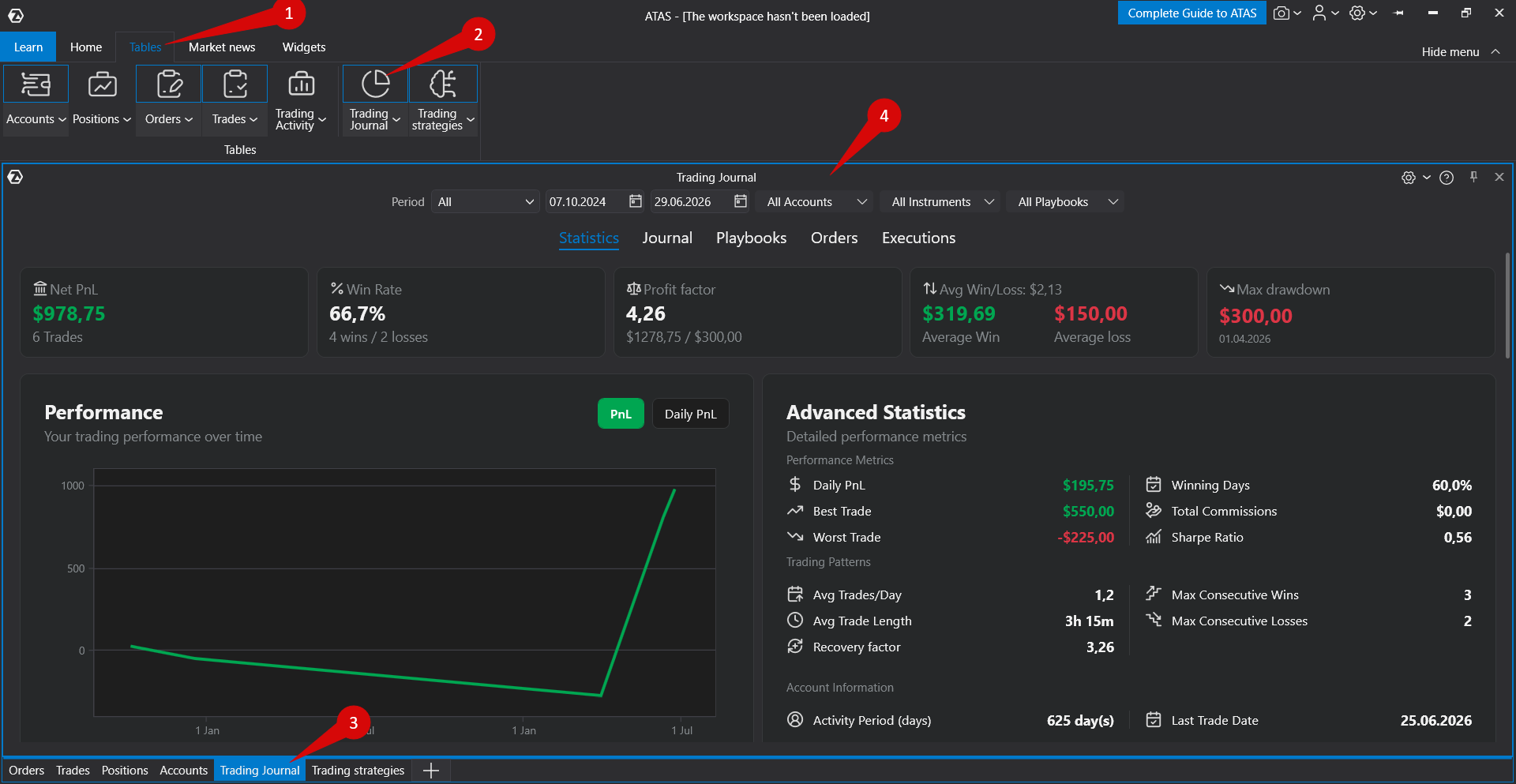
Open the Trading Journal module from the ATAS main window.
The Trading Journal window contains filters at the top and several tabs that provide different views of your trading data.
Filters
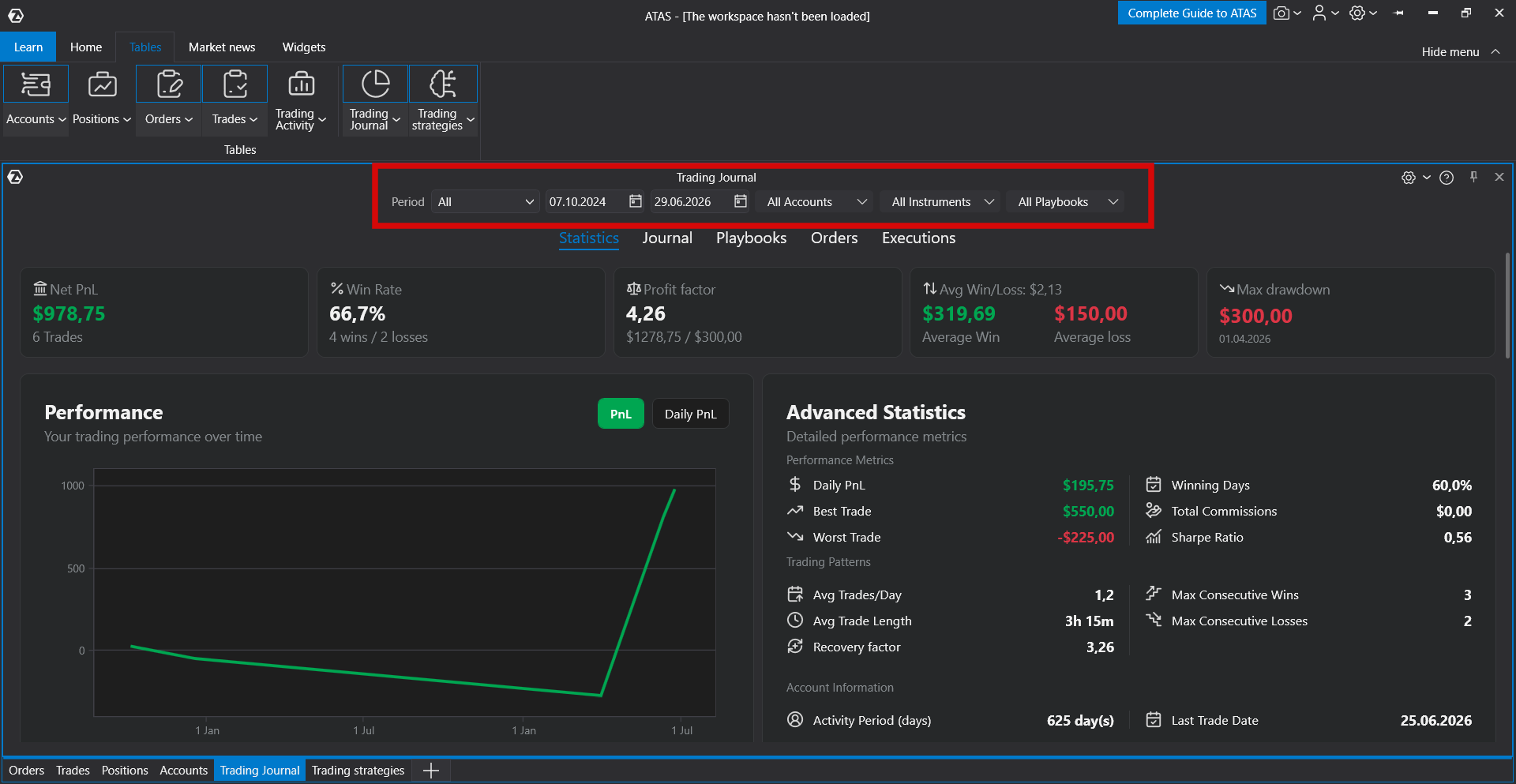
The filters determine which data is included in the calculations and statistics.
Period
You can choose one of the predefined periods:
- All
- Today
- Last 7 days
- Last 30 days
- Last 3 months
- Last year
- Custom
When using a custom period, specify the start and end dates manually.
If All is selected, Trading Journal uses the available trading history starting from the first detected trade.
Accounts, Instruments, and Playbooks
You can also filter statistics by:
- trading account;
- instrument;
- playbook.
If only part of the available values is selected, all statistics and tables are recalculated using only the selected data.
Statistics Tab
The Statistics tab provides an overview of your trading performance.
The summary includes key metrics such as:
- Net PnL;
- Win Rate;
- Profit Factor;
- Average Win;
- Average Loss;
- Maximum Drawdown.
Additional charts and statistics include cumulative PnL, daily PnL, best and worst trades, winning days, commissions, Sharpe Ratio, average trades per day, average trade duration, and other performance metrics.
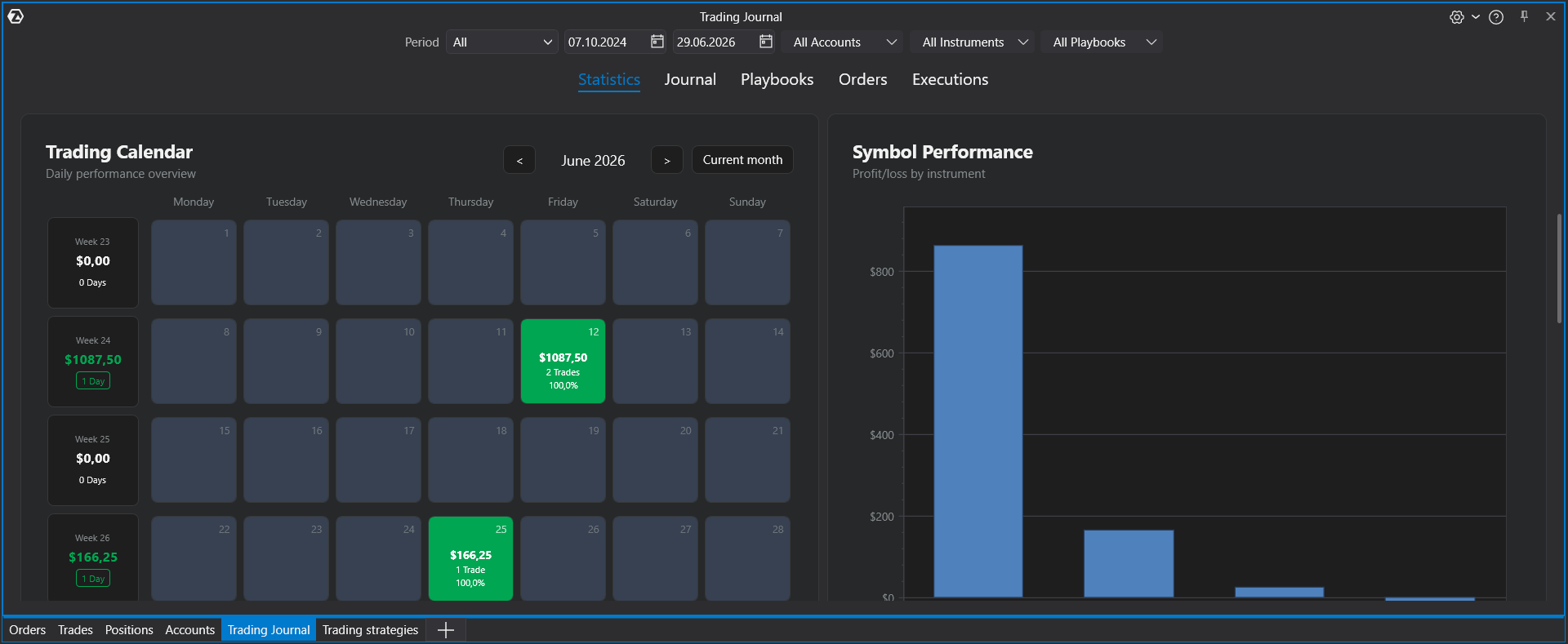
Trading Calendar
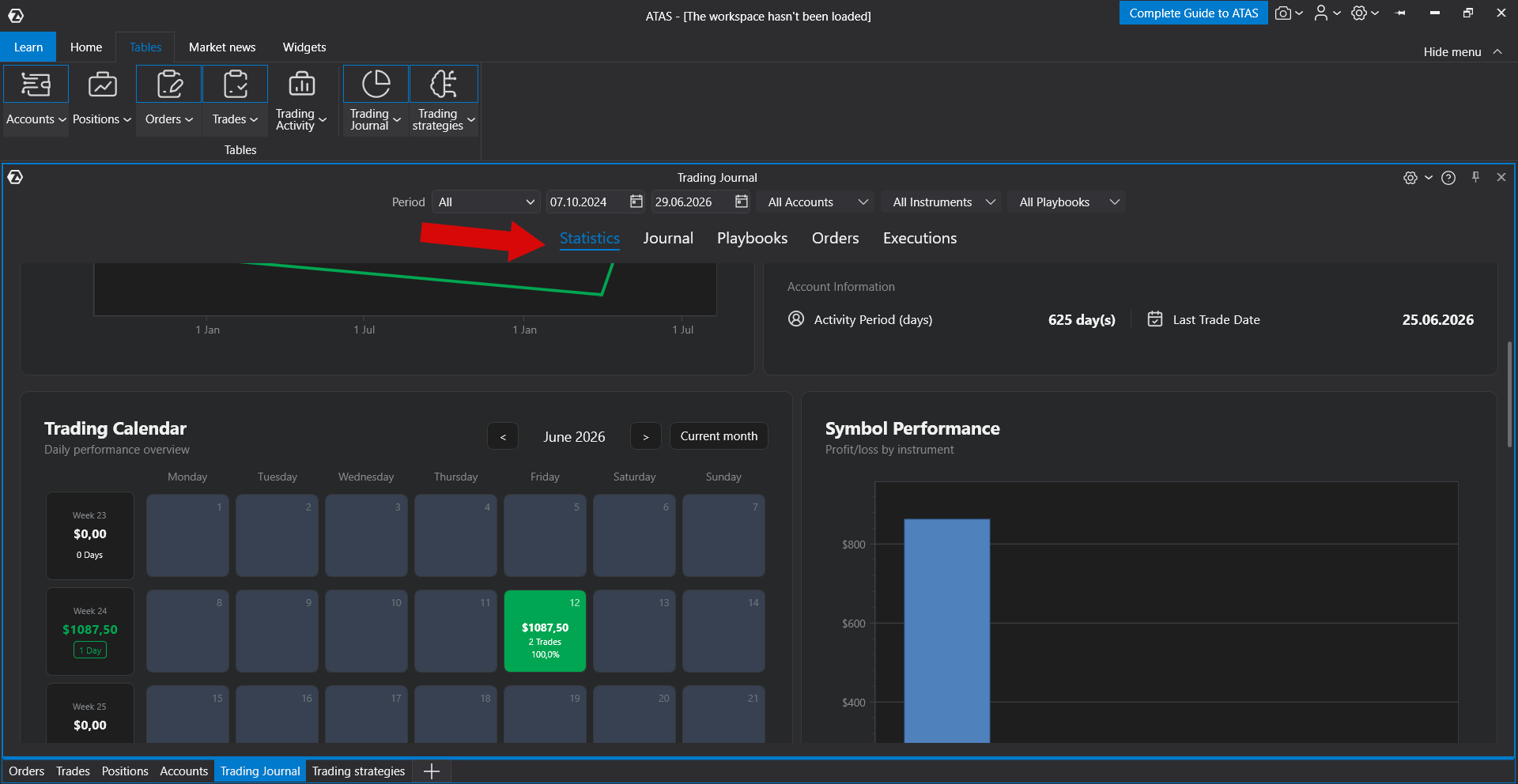
The Trading Calendar groups trading results by day.
Each day displays:
- daily PnL;
- number of trades;
- daily win rate.
Profitable and losing days are highlighted with different colors.
You can also add personal notes to any trading day. To create or edit a note, click the required date, enter the text, and save your changes.
Journal Tab
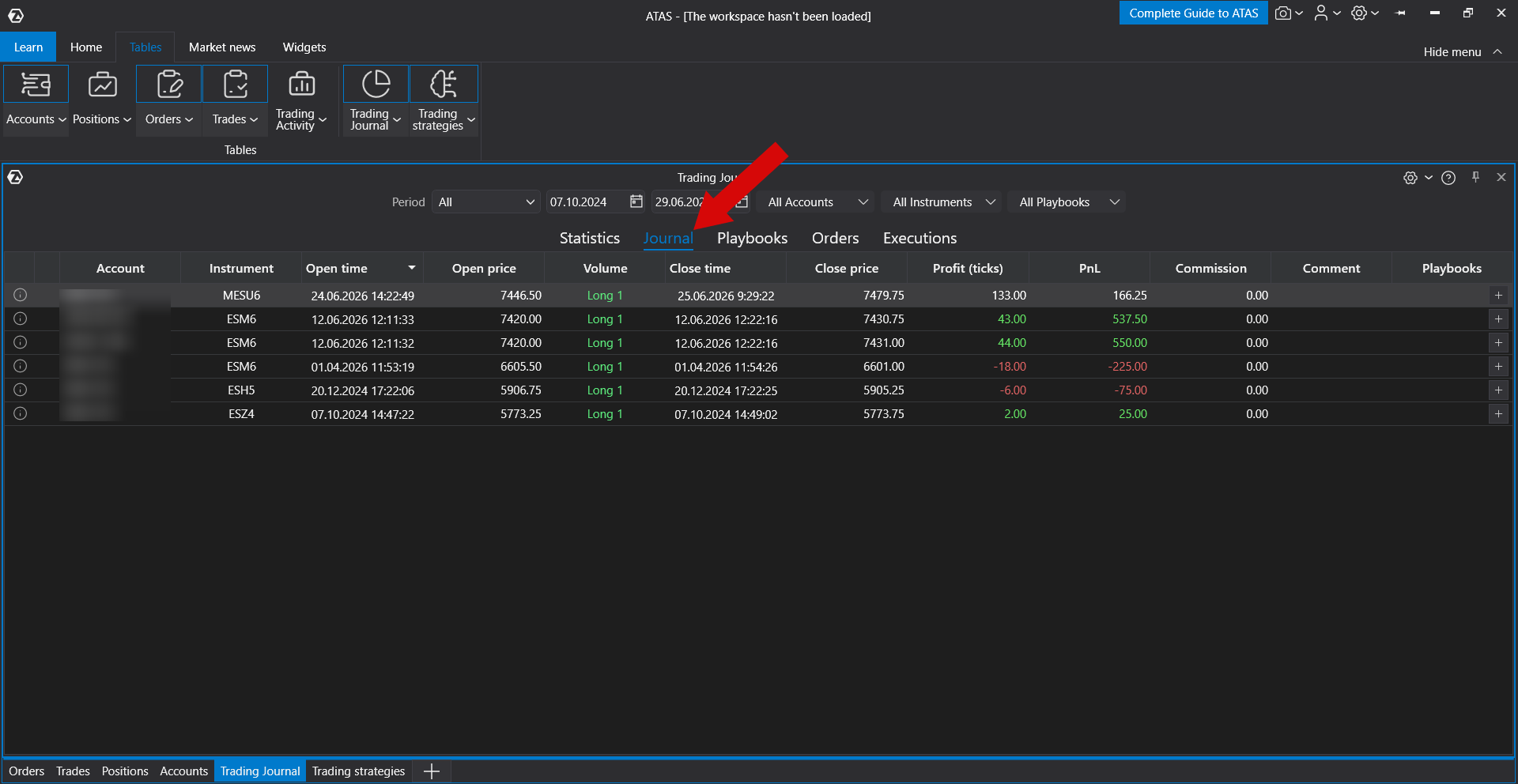
The Journal tab displays all completed trades.
The table includes:
- account;
- instrument;
- entry and exit time;
- entry and exit price;
- volume;
- PnL;
- PnL in ticks;
- commission;
- comment;
- assigned playbooks.
You can open any trade to view additional information, edit comments, or assign one or more playbooks.
If Trading Journal detects incomplete trade information, the corresponding row is highlighted so you can enter the missing values.
Playbooks
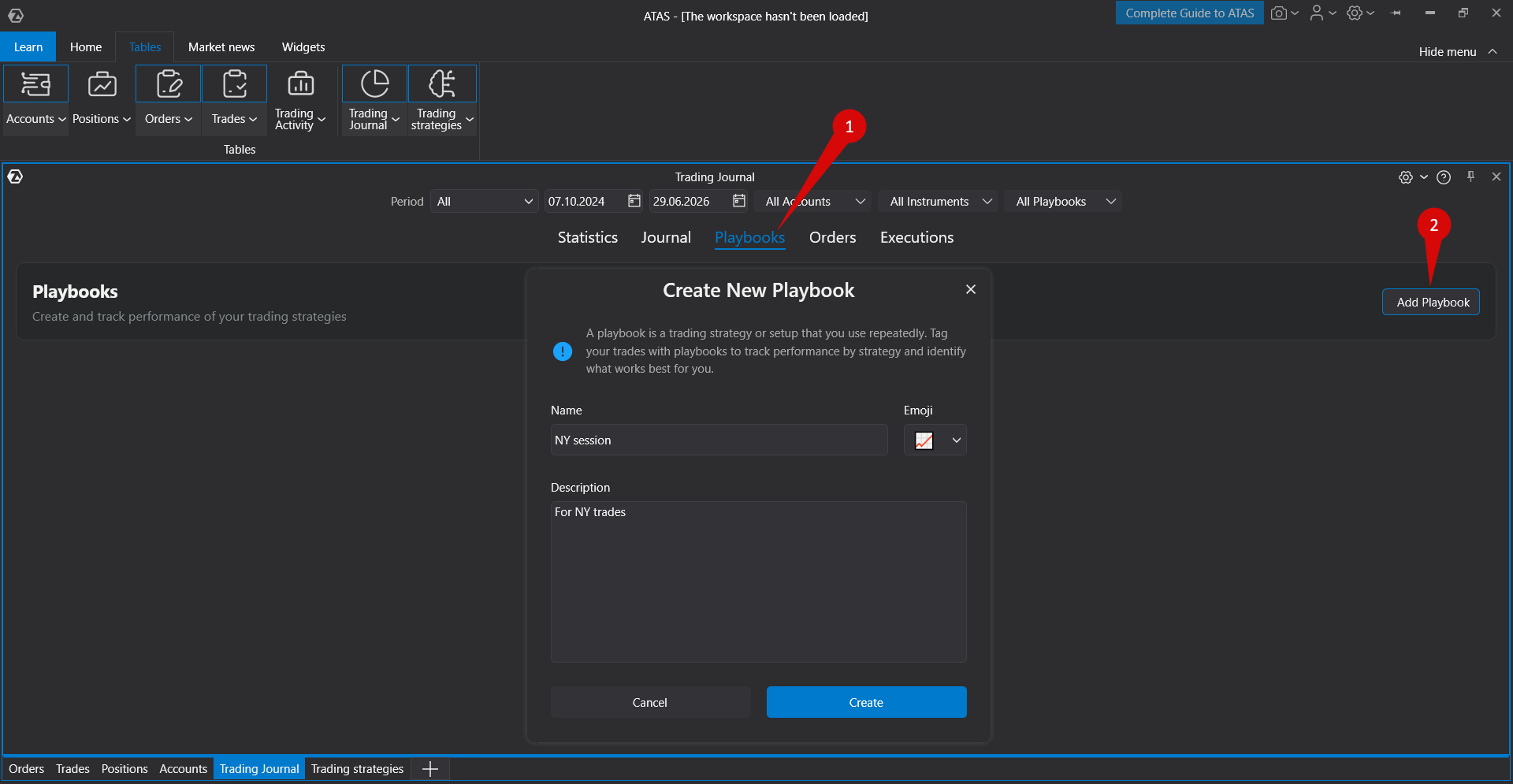
A Playbook represents a trading strategy, setup, or repeatable market scenario.
You can create playbooks, assign them to trades, and analyze statistics for each strategy separately.
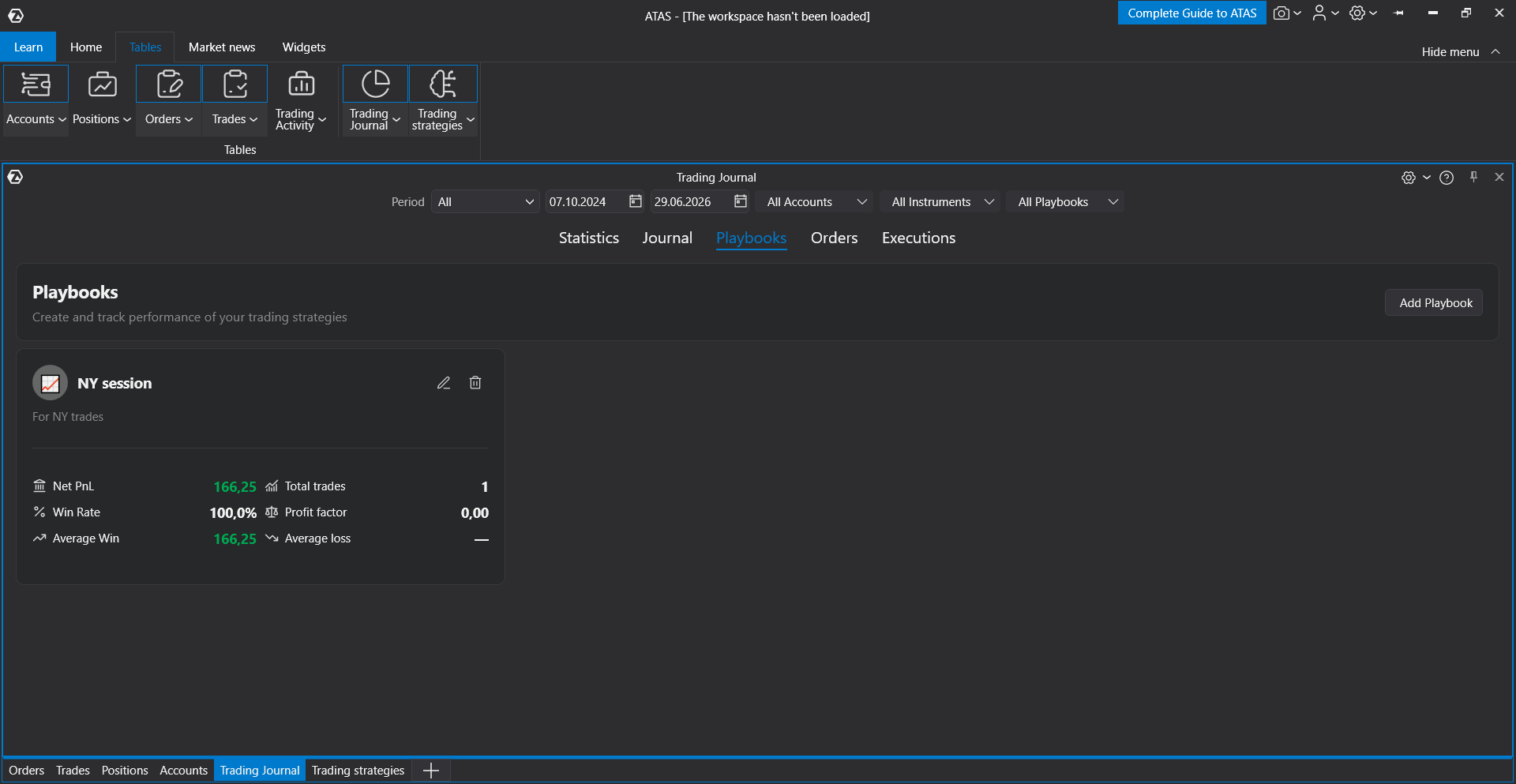
Playbook displays performance metrics such as:
- Net PnL;
- Win Rate;
- Number of Trades;
- Profit Factor;
- Average Win and Loss.
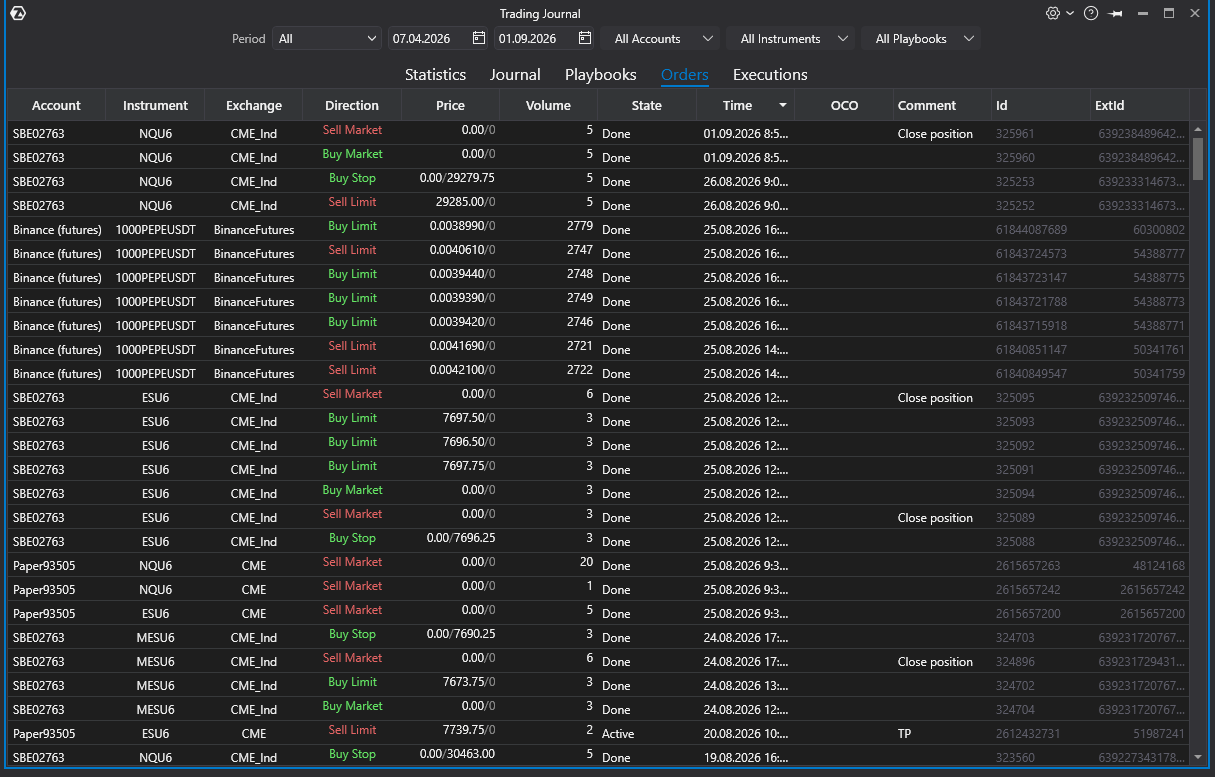
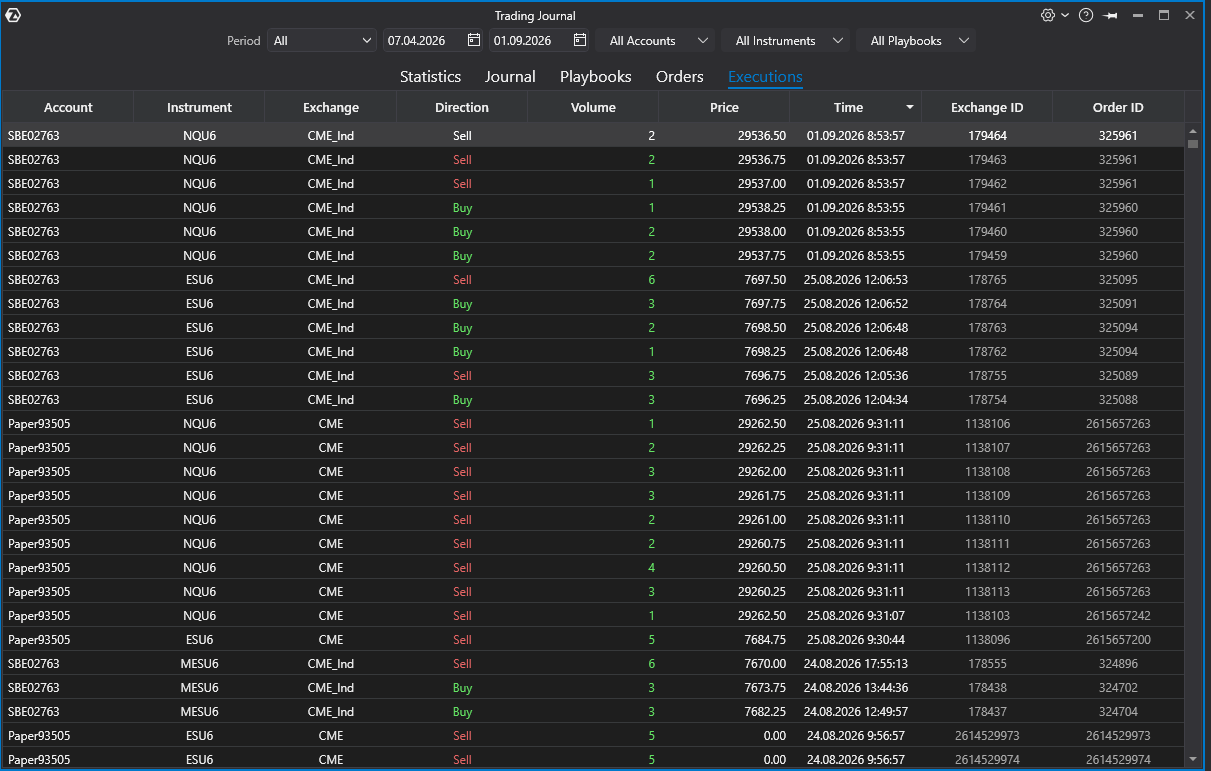
Orders and Executions Tabs
The Orders and Executions tabs display the raw trading data used to calculate journal statistics.
Use these tabs to verify which orders and executions were included in the calculations.
Additional Actions
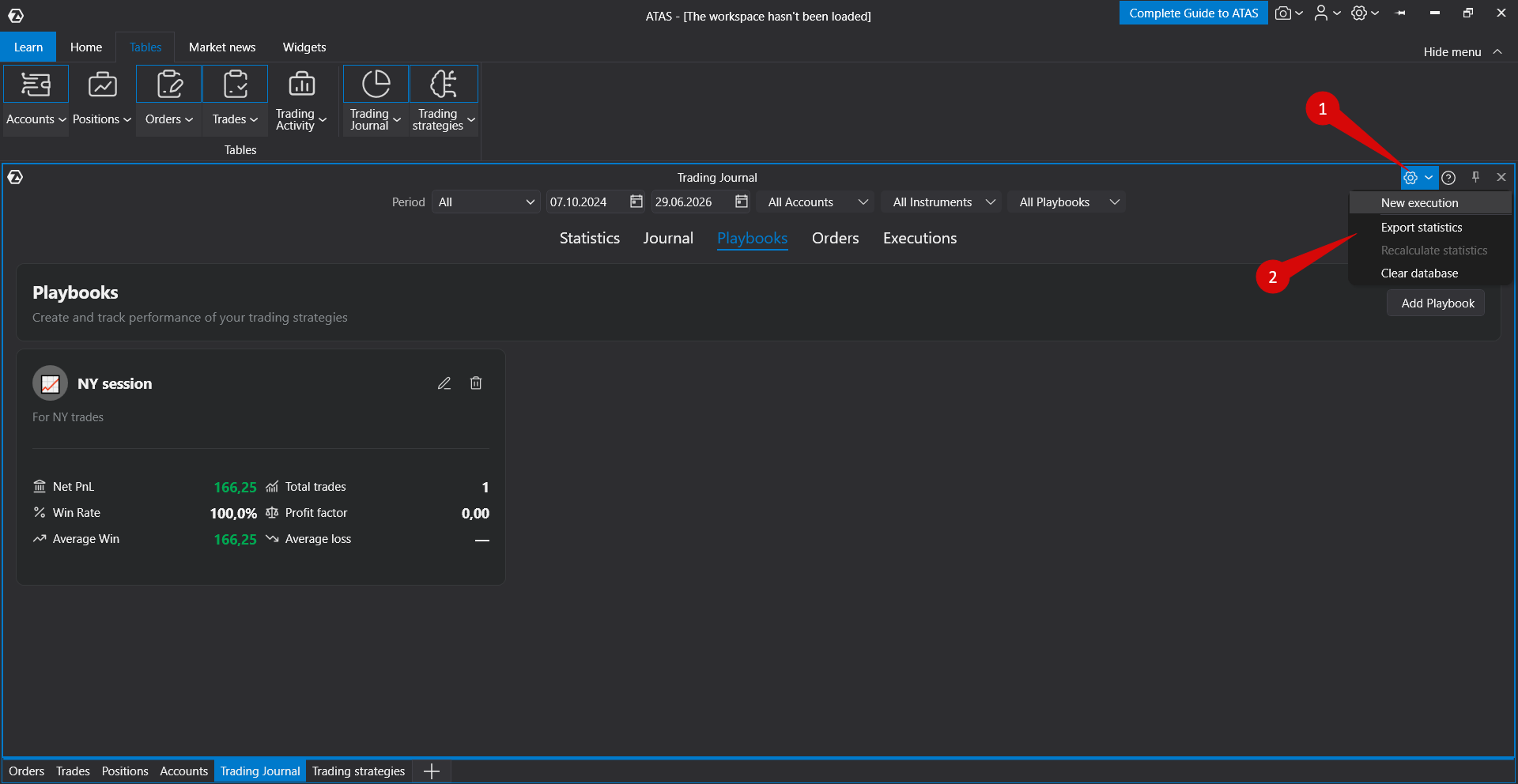
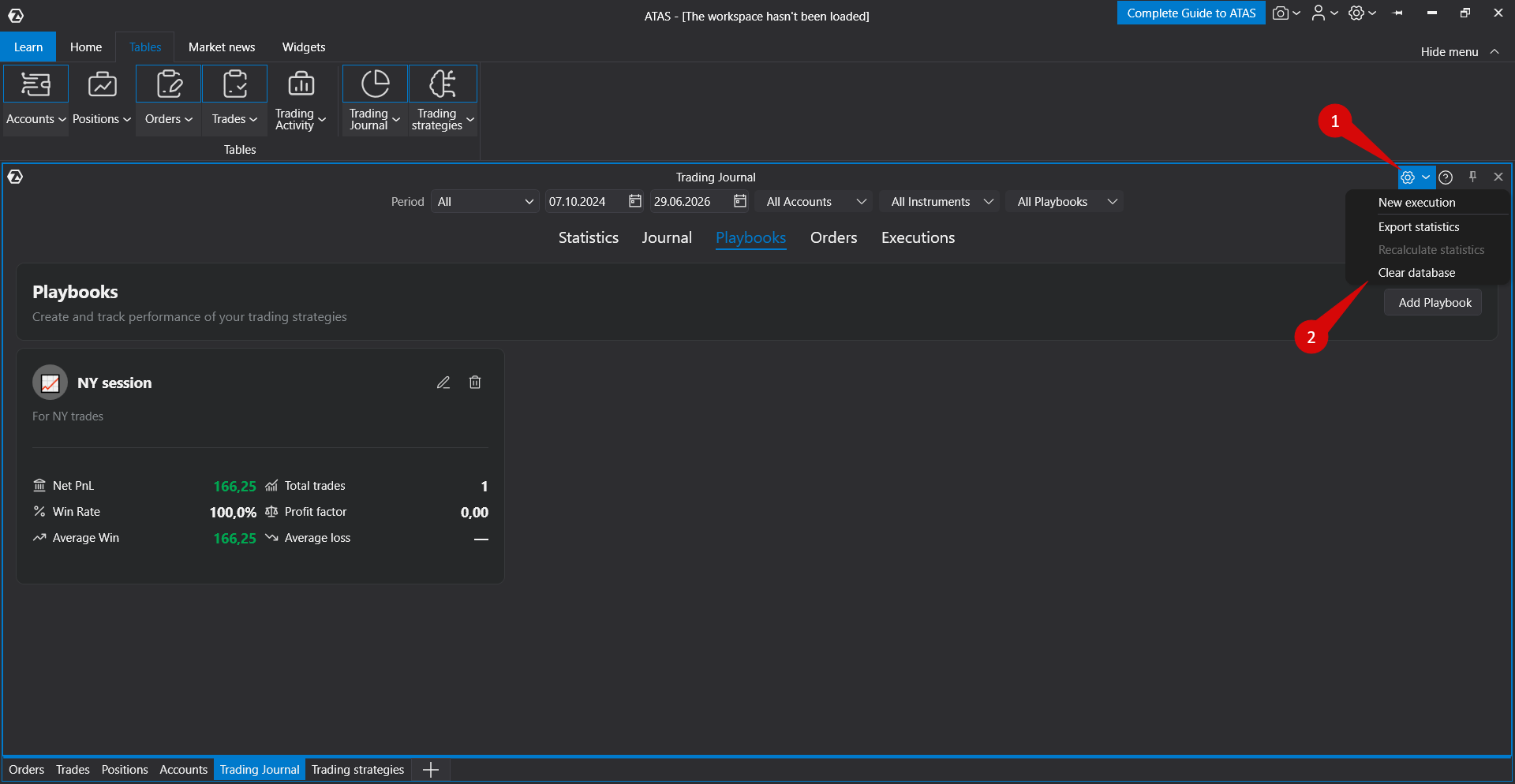
The Trading Journal settings menu provides several additional functions.
New Execution
Allows you to manually add a trade that is missing from the automatic trading history.
After creating a manual trade, verify all parameters such as time, instrument, price, and volume.
Export Statistics
Exports Trading Journal statistics to a file for further analysis outside ATAS.
Recalculate Statistics
Rebuilds all statistics using the currently available trade history.
If there are open positions, recalculating statistics may cause temporary inconsistencies. It is recommended to perform recalculation only after all positions have been closed.
Clear Database
Deletes the local Trading Journal database, including statistics, order history, and trade history.
Use this function only if you understand the consequences. Clearing the database permanently removes all locally stored Trading Journal data.
If Data Is Missing or Incorrect
If the displayed statistics are incomplete or unexpected, check the following:
- selected period;
- start and end dates;
- account filter;
- instrument filter;
- playbook filter;
- availability of trading history for the selected period;
- whether open positions exist before recalculating statistics.
If trades are marked with warnings, open them and fill in the missing information. The statistics will then be recalculated using the completed trade data.
Important Notes
- Trading Journal calculates statistics using the data available in ATAS.
- All filters affect every Trading Journal tab.
- The All period starts from the first detected trade.
- Daily notes are stored separately from comments added to individual trades.
- Playbooks are intended for analyzing trading strategies and setups.
- Clearing the database removes locally stored statistics, orders, and trade history.
Was this article helpful?
That’s Great!
Thank you for your feedback
Sorry! We couldn't be helpful
Thank you for your feedback
Feedback sent
We appreciate your effort and will try to fix the article