RSS Reader
The RSS Reader module is located in the Market News tab.
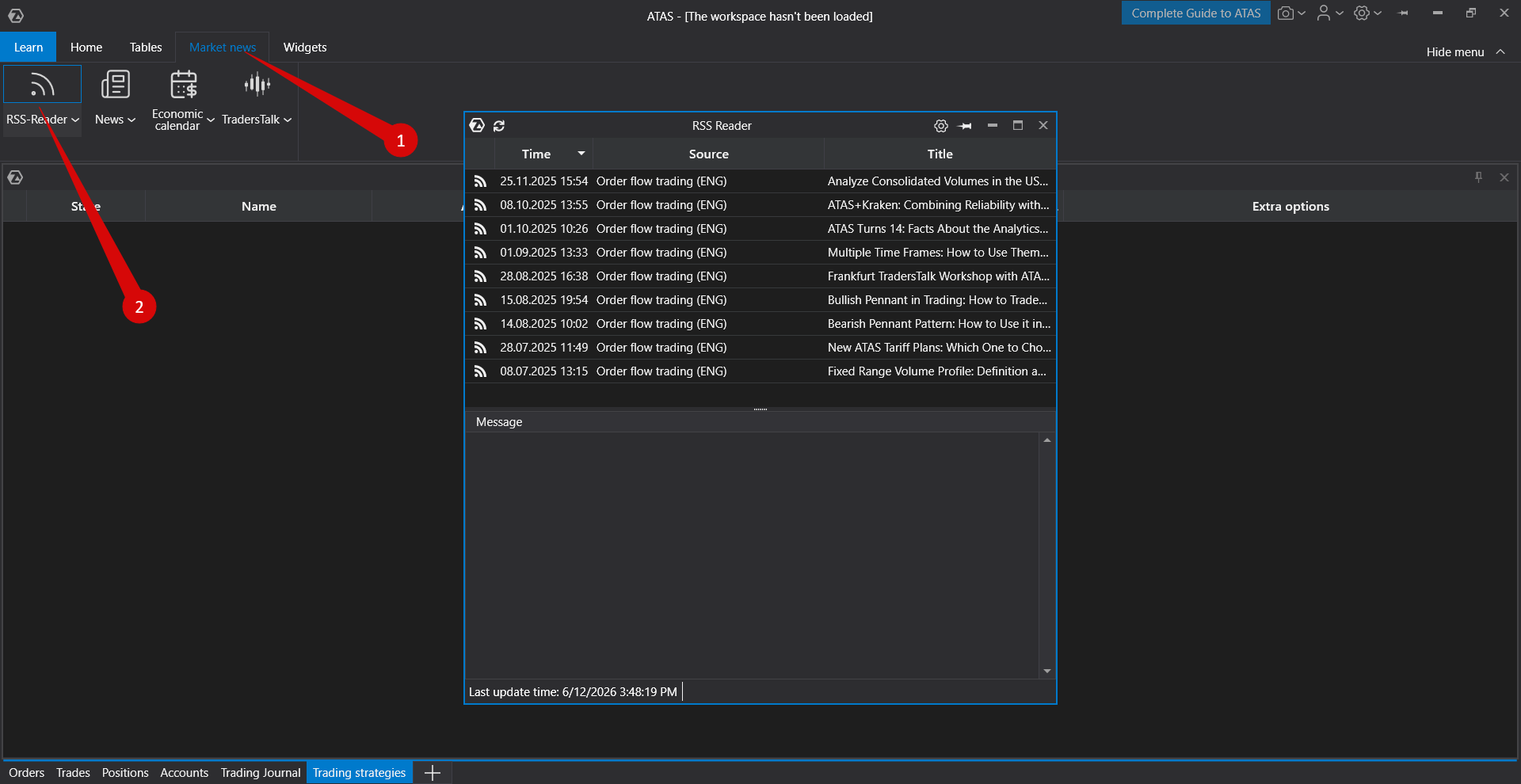
The module window appears as shown below.
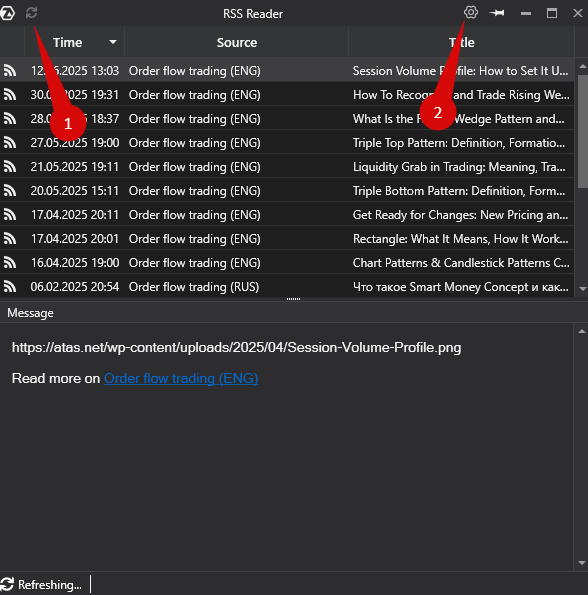
The Update button refreshes the news feed, while the Settings button opens the RSS Reader settings.
Adding an RSS Feed
To add a news source using an RSS feed, open the settings window and click Add.
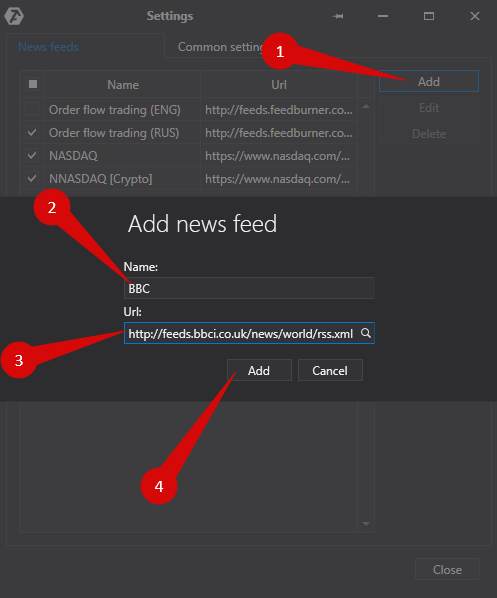
In the dialog window:
- Enter the name of the news channel.
- Paste the RSS feed URL.
- Click Add.
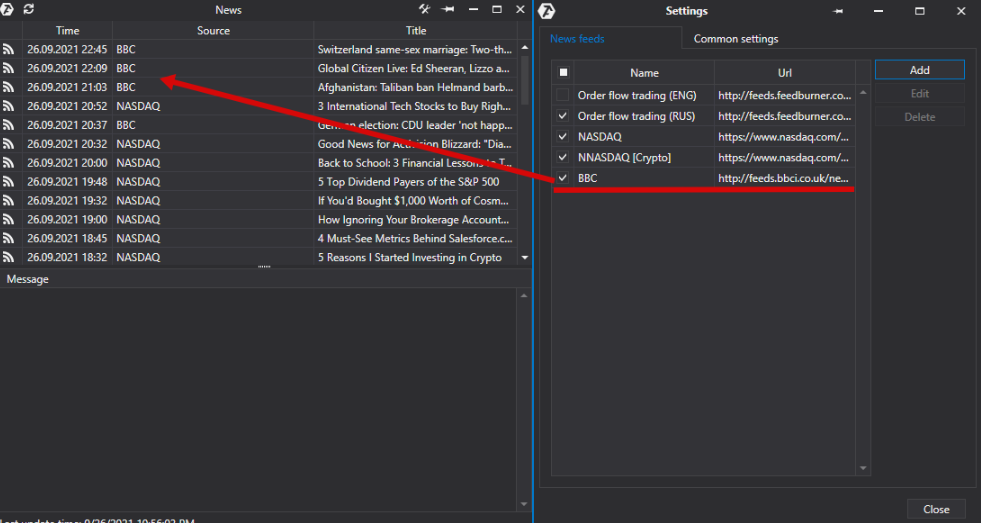
After the channel is added, it will appear in the list of available sources, and its news will be displayed in the feed.
Was this article helpful?
That’s Great!
Thank you for your feedback
Sorry! We couldn't be helpful
Thank you for your feedback
Feedback sent
We appreciate your effort and will try to fix the article